Archives for admin

BOSS IT DEV DIARY 00016 – TimeLapse | MAP Locations | Lore | Anim | Weather | SQLPHPResearch | Build

Today I Designed a Game Map using AI and put it in my Game
– Created a bunch of UI Elements to Identify areas on the map
– Created the Locations and Lore for them
– Fixed Boss Animation and Camera Zoom Slightly
– Hooked up the SceneManager to load all 4 scenes in order
– Fixed GameManager issue not changing weather because of donotdestroyonload – needs work
– Created Blue Lighting Effects
– Researched SQL PHP for HighScores, Accounts, Login
– Troubleshooted Build not the same as Scene
PLEASE LIKE & SUBSCRIBE – IT ENCOURAGES ME TO DO MORE AND NOT FEEL LIKE IM WASTING MY TIME AND IDEAS

Anything you want to see? Ideas? Let me know. Want to Contribute?

MY PC is struggling with this GTX1650 Downgrade while my Radeon 9850XT gets replaced or repaired.

I have INVESTED in VIDEO & GAME Production and ordered a – PreSonus AudioBox 96 Studio 25th Anniversary Edition Recording System – Expected in 3 weeks. https://www.amazon.com.au/gp/product/B08DBGNZT1/ref=ppx_yo_dt_b_asin_title_o00_s00?ie=UTF8&th=1

BOSS IT DEV DIARY 00015 – TimeLapse | Kangaroo Court | Making the Teaser | Animation | Gimp | Image

Today, I took a short break from my main project, Webster, after dealing with a corrupted GitHub commit that took four hours to troubleshoot and fix. I had to watch my own tutorial videos to recreate certain parts—quite the drama! But don’t worry, I’m not switching projects or giving up on Webster. After all that, I just needed a change of pace, so I decided to dive into something I’m planning for next year: Kangaroo Court.I didn’t start recording this process until I realized it might actually help someone else going through similar issues. Hope you find it useful!

Maritime Law, Common Law, StrawMan Argument, UCC | CEST Q VIE | Crown Law, Gods Law

PLEASE LIKE & SUBSCRIBE – IT ENCOURAGES ME TO DO MORE IT REALLY DOES
Anything you want to see? Ideas? Let me know. Want to Contribute?

MY PC is struggling with GTX1650 while my Radeon 9850XT gets replaced or repaired.

Have INVESTED in VIDEO & GAME Audio and Mic – PreSonus AudioBox 96 Studio

MUSIC used in my VIDEO – I Support other Creators:
https://pixabay.com/music/modern-classical-movie-soundtrack-lost-in-time-254967/
Thanks for donating $5.00 USD toturtlestudioscompany
We’ll send you back to turtlestudioscompany in a few seconds.

BOSS IT DEV DIARY 00014 – Comming Next Year – Kangaroo Court – Legal Simulation

Welcome to Kangaroo Court, an immersive, thought-provoking legal simulation game coming in 2025. Step into the dark, twisted world of a fictional courtroom where players confront a kangaroo judge and face off against a corrupt system. Armed with knowledge of international, constitutional, and common law, players must navigate high-stakes legal battles to defend their rights, exposing governmental deceit and challenging the foundations of authority itself.

In this game, every case matters. Each level presents a new scenario, revealing truths often hidden from the public—whether it’s your right to travel, personal sovereignty, or protection against unjust rulings. Each win not only advances your case but also brings you one step closer to liberation, shining a light on the system’s misuse of power and fraudulent jurisdiction.

Prepare yourself to face the kangaroo court. “We did not come to break the law, but to forfill it”

BOSS IT DEV DIARY 00013 – TimeLapse | BossBird Creation | Animation Events | GIMP | SOUND AQUISITION

Todays Video, is a combination of several hours time lapsed.
– Got a 2D Enemy Created by AI and Cleaned it up in Gimp
– Seperated parts of the enemy for simple animations
– Animated the Enemy and Used Animation Events for the first time
– Built the Game and Tried out the new Prologue Scene

PLEASE LIKE & SUBSCRIBE – IT ENCOURAGES ME TO DO MORE AND NOT FEEL LIKE IM WASTING MY TIME AND IDEAS

Anything you want to see? Ideas? Let me know. Want to Contribute?

MY PC is struggling with this GTX1650 Downgrade while my Radeon 9850XT gets replaced or repaired.

I have INVESTED in VIDEO & GAME Production and ordered a – PreSonus AudioBox 96 Studio 25th Anniversary Edition Recording System – Expected in 1 month. https://www.amazon.com.au/gp/product/B08DBGNZT1/ref=ppx_yo_dt_b_asin_title_o00_s00?ie=UTF8&th=1

MUSIC used in my VIDEO
– https://pixabay.com/music/beats-chill-house-mellow-moments-251693/
– https://pixabay.com/music/beats-chill-house-lost-in-the-night-251694/

BOSS IT DEV DIARY 00012 -.666 TimeScale Overide | Custom Class | Female Voice | LAG Issues | WebGibs

Todays Video, is a combination of several hours time lapsed.
– Did a Custom Class for managing Dialogue Objects to work with the existing Dialogue Manager.
– Found out I’ve been Developing with a manual Timescale over-ride of .666 for several days – Not a Freemason lol
– Have a Female Voice now in the Dialogue, seeking to improve our recording.
– Game had Lag issues, I believe its due to the GeForce GTX1650 Downgrade (Radeon 9850XT on RMA)
– Some trickery using Hierarchy and Disabling Scripts and Gameobjects within Hierarchy.
There are some missing parts. I originally recorded Audio, but the video was over 1 hour long and mostly just telling some harsh truths certain to be censored and I didn’t want to spend all my time ce*soring myself to conform.

I’ve Timelapsed and muted most of the video, also sound issues, I am working on getting a proper mic. MY PC is struggling with this GTX1650 Downgrade while my Radeon 9850XT gets replaced or repaired.

Looking into a:- “Focusrite Scarlett 2i2 4th Gen USB Interface with Software Suite, Bundle with AT2020 Microphone, TAPH100 Headphones and Mic Stand Recording”

BOSS IT DEV DIARY 00011 – PROLOGUE | COMENTARY | AUDACITY WOES, SCALING TMP PRO UI | DEMO AT END

https://youtu.be/QOF_uHpqF4c

Please Note, not all Work was recorded

So much stuff was done. I spent way too much time on videos
What do you guys wana see?
Thanks for the support. Means heaps 🙂

BOSS IT DEV DIARY 00010 – LAYER ISSUES | FLY Fly in from behind Camera | 3D Sound | Fixed some UI

Please Note, not all Work was recorded

Setting different Pitch Variables as Public for more fly customization
Fixed Overlapping fly onclick issue*
Fixed Stamina not working*
Cleaned up some messy scripts
Re-did the Pause Menu so elements aren’t in players way
Added an Onclick Tally for later Accuracy calculations with Score
AudioListener moved to spider and setup to 3D fly sound effects – cool
Flys now Fly into the Scene from behind camera
Fixed some UI issues and bugs

//TODO: * potentially issue in FlyPool with Onclicking for already used pooled Flys, I cant remember if I’m even using one, might need to if I’m not. Stamina issue is a strange one, I need to reference it in script as SpiderStamina.GetComponent(Whatever)() Requires further investigation
Pause Menu still has issues
Use Flystate to represent a intro or not playgame fly and when Entering gamefield eg // FlyState.Entr

————— BONUS FOR NEXT VIDEO ——————
We worked on a Design of a Boss Style Catepillar Enemy Stay Tuned
Created a Dialogue and Story Line and Voice Acting with a Friend.

Started work on a Prologue / Tutorial Scene
Anything you want to see? Ideas? Let me know. Want to Contribute?

BOSS IT DEV DIARY 00009 – TMPPRO | UI | ANIMATIONS SCORING | Not using UI Tools in this project.

Spent most of the day Animating Scores, making it work with the UI and Layers. I did install UI Tools way back during remaking Webster, but my game code relies heavily on layers and already working with Unity UI elements as is, so i decided not to use UI Tools at this stage.

The Leaching mechanic for Stamina was fixed and visually represented. Fly Freak Mode also more obvious and score doubles. UI and elements and game objects are all all layered correctly.

I didn’t record all my work today. Half my work was cut from the video due to time contraints and i was just on a mission to get it done.

//TODO: Feed Small Stamina to player on Fly Traped also, so player has no excuse not to have stamina.
//TODO: Repeat this process for Health possibly unify Script for UI handling

I’ve put a lot of time and effort into making videos. If you’re enjoying what you see, please consider liking and subscribing. Your support makes a huge difference and gives me the motivation to keep creating. With more subscribers, I can dedicate even more time and energy to bring you the best content possible!

BOSS IT DEV DIARY 00008 – How I made music for my Game in FLSTUDIO & import to Unity – Workflow Hack

My process for making not fantastic music in less than 1hr

I’ve put a lot of time and effort into making videos. If you’re enjoying what you see, please consider liking and subscribing. Your support makes a huge difference and gives me the motivation to keep creating. With more subscribers, I can dedicate even more time and energy to bring you the best content possible!

BOSS IT DEV DIARY 00007 – How I Create 2D Enemies using AI and Gimp with Unity3D – Workflow Hack

My process for making 2D Characters that requires NO Art skills.

I’ve put a lot of time and effort into making videos. If you’re enjoying what you see, please consider liking and subscribing. Your support makes a huge difference and gives me the motivation to keep creating. With more subscribers, I can dedicate even more time and energy to bring you the best content possible!

BOSS IT DEV DIARY 00006 – GUI/Ambient Audio | FLStudio | StaminaBar | GetComponents | Commit to Git

I Let Youtube remove music and it made a mess of the audio.
Worked on AudioManager for GUI and Created Ambience Mixer
Created Score Points Tone in FLStudio
Got Stamina Bar working, Feeds player when Fly killed and drains when player runs
Troubleshooted UI issues for Points and Scoring, trying to find where audioclip is being played from. was on the Fly. (Not ideal)
Fix GetComponents on legs getting more than leg animators
Adjusted Fangs animations
Commit to GitHub
Created a Build that works well.

BOSSIT DEV DIARY 00005 -Scriptable Objects? Lightening+Thunder – Timelapse Development of Webster

“Webster’s Development Journey: From GoDot Back to Unity”

BOSSIT DEV DIARY 00004 – Adding Health Bar – Making Mistakes – Timelapse Development of Webster

Dev Diary 00003 – From GoDot Back to Unity

“Webster’s Development Journey: From GoDot Back to Unity”

After two years of trying to move Webster to GoDot, we decided to return to Unity, sticking with what we know best. This decision has been a major turning point for the project. With the introduction of AI tools, our development has accelerated like never before. Our creative and programming potential has reached new heights, and every day brings exciting new challenges. Plus, we’re composing all our own music and sound where possible, further personalizing the experience.

We’ve completely remade Webster, and in this video, you’ll see the stark difference: before AI, with just 0.5 years of experience, versus after AI, with two solid years of growth and learning. The improvements are incredible.

The goal is to publish Webster, and whether it succeeds or not isn’t the point—this journey has been all about persistence and passion. Success doesn’t happen overnight, and it’s that drive that keeps us moving forward.

This video shows a glimpse of Webster before (Unity 2022 and prior) and after (2024+), showcasing just how far we’ve come.


Our Shift to Unreal Engine 5: MoboNode’s Experience Beyond Unity3D

MoboNode is a passion project where players take on the role of Dr. Boss, a computer scientist shrunk down inside an old PC whilst investigating AI Ethics at CERN. As he navigates a hazardous environment, he will battle digital threats and demonic entites, repair malfunctioning components and maintain the PC. The game is structured around linear missions involving fixing components, defeating enemies, and uncovering the fate of other scientists.

VIDEO PREVIEW OF IN DEV

Core gameplay revolves around base building and combat. Players can craft tools as weapons—like screwdrivers and EMF bombs—to combat rats, roaches, demonic entities, viruses and rogue updates (anything you expect to find inside a PC case). A base of operations exists inside the Power Supply Unit (PSU) serves as a safe zone for crafting and resting, creating a balance between exploration(combat) and strategy. The visual style leans into a retro aesthetic reminiscent of classic FPS games, while character design reflects a blend of human and machine elements. Key locations feature distinct environments, from the chaotic motherboard to the safe haven of the PSU.

After years of building MoboNode in Unity3D, we faced a pivotal decision: stick with what we knew or embrace the cutting-edge features of Unreal Engine 5. This was over a year ago! While the transition has presented its challenges, we firmly believe it’s the right move for our project.

We want MoboNode to stand out visually, and Unreal Engine 5’s advanced rendering capabilities, like Nanite and Lumen, promised to bring our vibrant world to life in ways Unity simply could not. Nanite allows for incredibly detailed assets without the usual performance trade-offs, while Lumen offers dynamic global illumination, creating realistic lighting that adapts in real time. This leap in visual fidelity has opened up exciting possibilities for MoboNode’s aesthetic, allowing us to create a more immersive experience for players.

However, switching game engines is no small feat, and we quickly realized the journey would not be without its struggles. Here are some key challenges we faced:

Unreal Engine 5’s Blueprints system feels like learning a new language. It offers a robust visual scripting environment that, while powerful, can be overwhelming compared to Unity’s simpler interface. As someone who prefers coding in C#, embracing Blueprints has become a necessity to fully leverage the engine’s capabilities. This shift required us to adapt our thinking and workflow significantly.

Migrating assets from Unity to Unreal was another hurdle. While some assets could be converted, others needed to be reworked or recreated to fit Unreal’s framework. This process was time-consuming but ultimately rewarding, allowing us to revisit and enhance our art and design.

Despite these challenges, the decision to switch to Unreal Engine 5 has begun to pay off, enhancing the overall vision for MoboNode.

DrBoss

Keep up-to-date on Development or contact us to get involved –> https://www.bossit.net.au/welcome-to-boss-it/programming/mobonode/

8fbca6e6 df92 42ef a761 13bc0fc9c2cd

Unity3D | Unreal Engine & Godot | What to choose?

They are all great Engines and nothing is ever 100%. Utlimately it boils down to what kind of work your going to be doing, solo or team and/or creative art style 2D or 3D? Myself, I like to DIY everything and not use other peoples assets (I use Gimp(2D art) Blender(3D art) and FlStudio (Music Production).

If i were a starting Developer and making only solo games, using simple pixel art style, I would choose GoDot hands down. If i were a more 3D enclined artist, maybe have a team, dont mind lisencing agreements, then I would go with Unity3D, and if i wanted to focus on c++ and Realistic Environments, I would go with Unreal, However I would expect it would be a large investment of time to master.

Unity: Pragmatic Choice

  • Familiarity: Unity’s user-friendly interface and C# scripting language align with my existing skills, i have about 20+ projects in Unity3D since 2018 and used it for my University assignments.
  • Quick Deployment & Prototyping: Unity’s rapid development cycle and cross-platform support. Prototyping is easy, building on mobile is easy.
  • Strong Community: Extensive documentation and a supportive community aid in troubleshooting and learning.

Our Webster Game - Still in Development

Unreal Engine: The Tempting Beast

  • Impressive Graphics: Unreal’s graphical capabilities are unmatched, creating stunning visual experiences. My machine struggles with the Matrix Demo running a $600 video card. We also lack an artist.
  • High Learning Curve: Unreal’s complexity and resource requirements can be challenging, especially for solo developers.
  • Potentially Overkill: Unreal Engine 5’s advanced features may be excessive for my current projects.
  • HOWEVER if i was a newbie, id start with structured Unreal courses and/or playing around in GoDot.

UE5GUI

Godot: The Open-Source Appeal

  • Simplicity and Flexibility: Godot’s lightweight nature and intuitive design provide a refreshing alternative.
  • Open-Source Philosophy: Godot’s open-source nature aligns with my values and provides freedom in development.
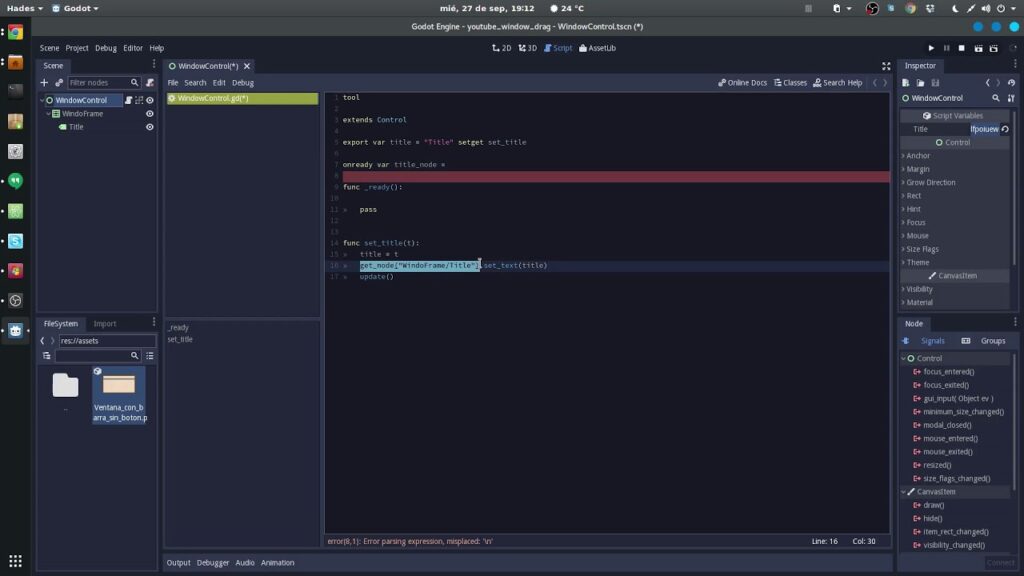
  • Limited Experience: While intrigued by Godot’s potential, I haven’t fully explored its capabilities yet. I did start to re-create an existing project in it, and got quite far however I struggled with its Sprite system and had to start using 3rd party apps to do splicing and things.

GoDotGui

Unity as the Practical Choice

Less delays, less procrastination, when using unity and it meets my current demands, I remain open to exploring Unreal Engine and Godot further as my skills progress.

In Conclusion

  • Practicality Prevails: Unity’s practical advantages make it my engine of choice for current projects.
  • Openness to Exploration: While committed to Unity, I acknowledge the potential of Unreal Engine and Godot for future endeavors.
  • Game Development Journey: As I continue to grow and learn, the dynamic landscape of game development promises new adventures and discoveries.
  • My dream would to be able to make full envrionments in Blender and UE5 utilizing Nanite and Lumen on my own models, but that would take up my entire life.


Orange NSW 5G Reading on 2022 05 17

https://youtube.com/shorts/bdjvXJJve4I

Pretty bad actually, but not as bad as the Illumba Way Tower in Kelso NSW – https://youtu.be/WwXsjUXwDgc

We’re still here and going strong!

Hey everyone! We hope you’re all doing well. Just a quick update to let you know that we’re still here and going strong! We’ve been pretty busy lately, which is why we haven’t been as active on social media. We believe in being hands-on and efficient, which is why we handle our social media in-house rather than outsourcing it. At the moment, we haven’t found a compelling reason to post aside from letting you know we’re still around. However, we’re open to suggestions! If you have any questions or ideas for interesting content, feel free to share them with us. Your feedback means a lot to us. Thanks for your continued support!

Dead Internet is FACT not Theory

As a veteran IT consultant with over two decades of experience, I’ve witnessed the evolution of the internet from its nascent stages to its current state. I have noticed I am spending more time away from the internet. Why? One theory that has garnered significant attention in recent years is the “Dead Internet” Theory, which posits that a substantial portion of online engagement is artificial and that users are effectively segregated into algorithmically defined bubbles.

Not every individual online is truly connected to one another but rather exists within a curated subset of connections. While some may dismiss this as nostalgia for the early days of the internet, there are compelling trends and circumstances that lend credence to this notion.

It’s worth noting that they have had AI for much longer than the population has, the cat is out of the bag, and they are trying to put it back in.

Several factors contribute to the plausibility of the Dead Internet Theory:

  1. Immense Bot Traffic: A significant portion of web traffic is attributed to bots rather than humans. These bots, whether benign or malicious, contribute to the distortion of online interactions.
  2. Content Generation Tools: Advancements in AI have lowered the barrier for bots to mimic human behavior, blurring the lines between genuine and artificial engagement.
  3. Big Tech Consolidation: The dominance of a few major online platforms facilitates control over information dissemination and user behavior.
  4. Reach Control: Major platforms exert control over what content users see, effectively shaping narratives and controlling information flow.
  5. Virtualized Segregation: Users may be segregated into algorithmically defined bubbles, limiting exposure to diverse perspectives and interactions.
  6. Internet Censorship & Shutdowns: Escalating censorship threatens the openness of the internet, transforming it into a tool for propaganda and control.
  7. Human Disengagement: Despite increased online presence, genuine participation has stagnated, leading to a disconnect between online interactions and real-life engagement.

While the internet isn’t dead, it’s undeniably facing existential threats. However, there’s hope for reclaiming cyberspace:

  • Maintain a non-commercial web space: By fostering independent and personal online spaces, individuals can resist censorship and foster meaningful interactions.
  • Use open protocols and opensource: Embracing open protocols and opensource platforms can empower users to break free from corporate control and engage in genuine online interactions.

Through collective action and a commitment to open and independent online spaces, we can steer the internet away from its current trajectory towards a more vibrant and inclusive future.

https://www.bitchute.com/video/9nHOBtLNHE8h/

Taviolo 60 – Recreating in Unity3D

Just playing around with a Taviolo 60 map we found at Stanford. we can get 4x better resolutions using 600MB JP2 file. So, we did that, now were going to reverse engineer the source code of QGIS to make unity3D manage rendering it at a much higher level of detail, were talking an image that takes up 10GB memory without QGIS.

Progress on Taviolo 60 map we found at Stanford. Zooming | Panning and Environment systems. working with 12MB file, to replace with 600MB JP2 file and write custom code. We show the difference between our projects details and using specialist app QGIS in this video.

Testimonial – Ewa D

Testimonial Ewa

“Jamie was available to assist me on short notice, remotely on a Saturday afternoon.  I was so relieved to get the help.  We worked through the tasks together and everything was resolved on the first call.  I found Jamie to be very professional, delivering on a commitment with warmth and humour.  I am so please to have found Jamie and will always engage him for any IT support.  I highly recommend Boss IT to anyone needing easy to access and easy to follow tech support.”

Ewa D
Bathurst NSW 2795

Navigating the Sea of SEO and Web Design Sales: How to Identify Genuine Providers Amidst Automated Harassment

Navigating the Sea of SEO and Web Design Sales: How to Identify Genuine Providers Amidst Automated Harassment

Untitled

Businesses are inundated with offers from SEO and web design salespeople promising to boost their online presence and transform their websites. However, many of these offers are generic and lack any understanding of the unique needs and challenges of the businesses they target. This article explores the prevalent issue of automated harassment by salespeople and offers guidance on how businesses can differentiate genuine providers who prioritize conducting proper due diligence.

The Problem with Automated Harassment:

Automated sales tactics, such as mass emails and cold calls, have become ubiquitous in the digital marketing landscape. Unfortunately, these impersonal approaches often result in businesses being bombarded with irrelevant offers that do little to address their specific needs. Instead of taking the time to understand the nuances of each business, salespeople rely on generic pitches that fail to resonate with their audience.

Lack of Due Diligence:

One of the primary issues stemming from automated harassment is the lack of due diligence on the part of salespeople. Instead of researching the businesses they target, salespeople often resort to a one-size-fits-all approach, offering cookie-cutter solutions that may not align with the unique goals and challenges of their prospective clients. This not only leads to frustration and annoyance for businesses but also undermines the effectiveness of the services being offered.

How to Differentiate Genuine Providers

So, how can businesses separate the wheat from the chaff when it comes to SEO and web design providers? The key lies in identifying providers who prioritize conducting proper due diligence:

  • Look for providers who take the time to research your business before making contact. Genuine providers will demonstrate a clear understanding of your industry, target audience, and current online presence.
  • Seek out companies that ask insightful questions about your goals, challenges, and previous marketing efforts. A provider who is genuinely interested in helping your business succeed will take the time to understand your unique needs and tailor their approach accordingly.
  • Request case studies or examples of previous work that demonstrate a track record of success. Genuine providers will be more than happy to showcase their expertise and highlight how they have helped businesses similar to yours achieve their goals.
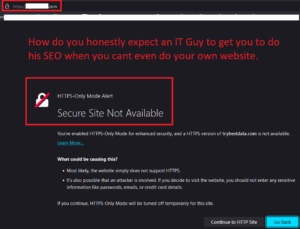
  • Ensure their website is accessible and SSL secured. A reputable provider will prioritize the security and accessibility of their own website, reflecting their commitment to best practices in web design and digital security.
  • Evaluate the performance of their website using tools like Google PageSpeed Insights or GTmetrix. A reputable provider will prioritize website performance, including fast loading times and optimized user experience.
  • Check if their website is mobile-friendly using Google’s Mobile-Friendly Test. With mobile usage on the rise, it’s crucial for websites to be optimized for mobile devices to ensure a seamless browsing experience for visitors.
  • Research their own search engine rankings for relevant keywords related to their services. A provider that excels in SEO should have a strong presence in search engine results pages (SERPs) for relevant industry keywords.
  • Review their portfolio and case studies to assess the quality of their work and the results they’ve achieved for previous clients. Look for evidence of successful projects that align with your business goals.
  • Inquire about their technical expertise and certifications. Look for providers who have certifications or accreditations from reputable organizations in the field of SEO, web design, or digital marketing.
  • Request references or testimonials from past clients to get insights into their experience working with the provider. Hearing from satisfied clients can provide valuable reassurance about the provider’s capabilities and professionalism.
  • Evaluate their communication style and transparency in discussing their services, pricing, and timelines. A trustworthy provider will be open and honest in their communication, providing clear explanations and setting realistic expectations.
  • Look for social proof on platforms like LinkedIn, where you can verify their professional credentials and see endorsements from colleagues or clients. Active engagement and positive feedback from their professional network can further validate their credibility.

The Importance of Due Diligence in Provider Selection

Choosing the right SEO and web design provider is crucial for the success of your online endeavors. By conducting proper due diligence and selecting a provider that truly understands your business, you can ensure that your investment yields tangible results. Genuine providers will work collaboratively with you to develop a customized strategy that addresses your specific needs and delivers measurable outcomes.

Alternatives to Traditional Sales Approaches

In addition to conducting due diligence when selecting a provider, businesses can also explore alternative approaches to engaging with potential partners:

  • Look for providers who offer free consultations or audits to assess your current online presence and identify areas for improvement. This demonstrates a commitment to understanding your business and providing tailored solutions.
  • Seek out providers who prioritize building relationships and long-term partnerships over making a quick sale. Genuine providers will invest the time and effort to earn your trust and demonstrate their value as a strategic partner.

It’s more important than ever for businesses to be discerning in their selection of SEO and web design providers. By prioritizing providers who demonstrate a commitment to conducting proper due diligence and understanding their clients’ unique needs, businesses can ensure that their investment in digital marketing yields meaningful results. Remember, the right provider is not just selling a service – they’re offering a partnership that can propel your business to new heights of success.

By thoroughly assessing these technical aspects and conducting due diligence, you can better evaluate the validity of SEO and web design salespeople and make informed decisions when selecting a provider for your business.


This comprehensive guide provides businesses with practical strategies to navigate the influx of sales pitches and identify genuine providers who prioritize understanding and meeting their specific needs.

BOSS IT – Blasts a Windows Vista Machine

https://youtu.be/kwehL83kO1E

BOSS IT – Blasts the Dust out of an Old Vista Box
We essentially Migrated a Windows Vista Machine and Mail across to a newer machine running Windows 10 and Thunderbird. We had to use 3rd party tools to achieve this and most Techs wouldn’t have bothered. But not BOSS IT. 🙂 We go the extra mile.

How To Setup & Play Brutal Doom on Linux

Linux Mint / Arch Linux

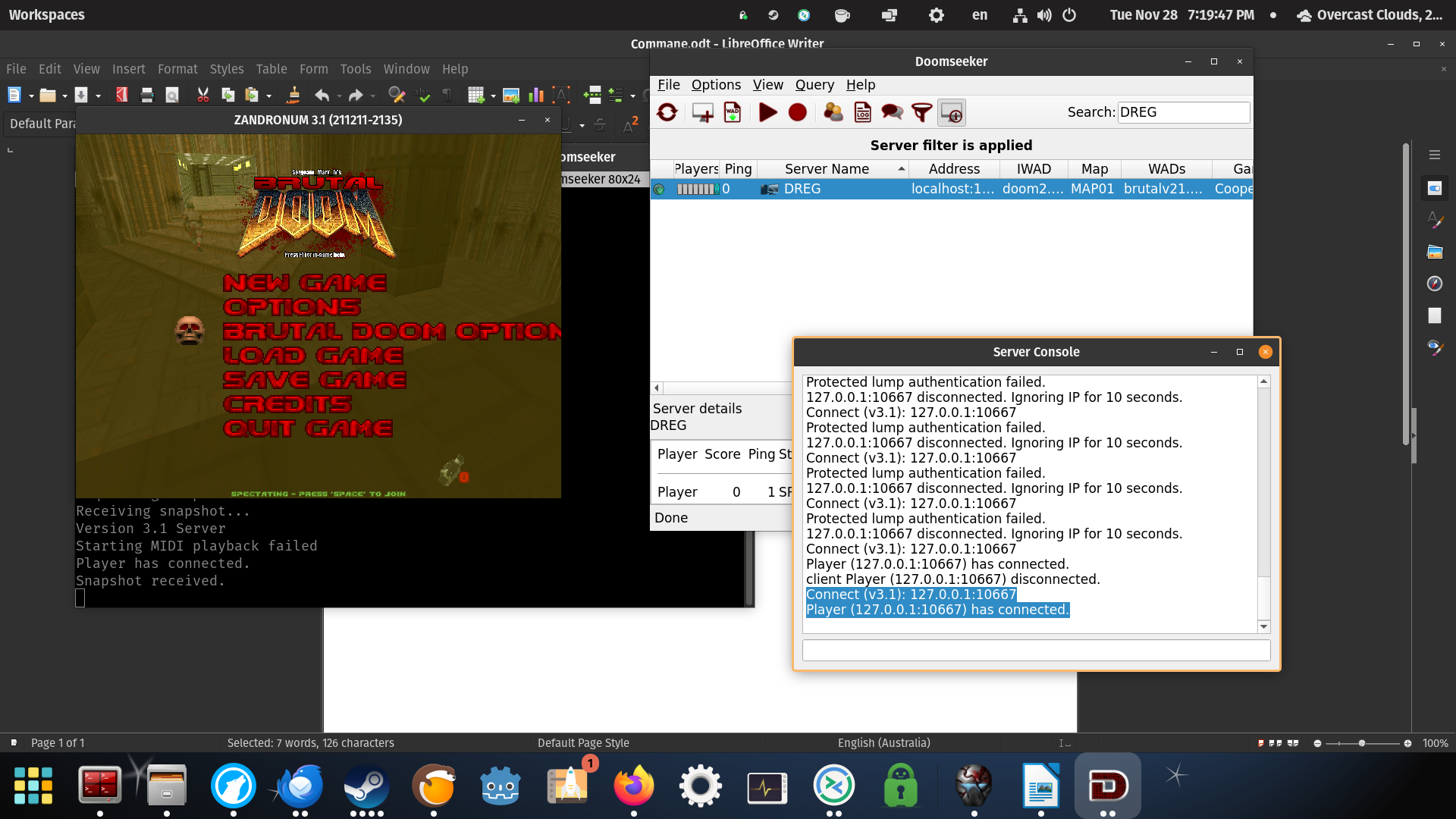
We have 2 Tutorials for the people out there who remember the times when you had to configure your OS to play games. Well, here we go again, except its because we want to 🙂 Brutal Doom Mod is amazing, so we decided as part of our christmas party plans and a gift to the world to Multiplayer this game. We have released 2 videos on how to setup on Windows or Linux (mint). We may release one on port forwarding later (to enable internet multiplayer)

Please Note: We had some sound issues on our new Linux Mint System we did not resolve before making the video, so may hear cracks, and sounds.
We’re also working on improving our resolutions of videos to at least 1080 but we always like to conserve space where we host.

We also made it work on ARCH LINUX 2024 Below

Screenshot 20240112 100828

NOTES for ARCH

use YAY for installing zandronum –> https://linux-packages.com/aur/package/zandronum
BUILD Doomseeker –> https://doomseeker.drdteam.org/git.php
Most other things are simular to the MINT install Video

If your using Arch we assume you know what your doing 😉

MAC Attack at BOSS IT

https://youtube.com/shorts/TZuIn3S3upY

DEMONSTRATION – 5 Mac Devices desperately seek our help.
– Wiped 2 iPhones and 1 Android completely
– Migrated 1 Mac across to 2 other Macs
– Recovered files customer thought they had lost on old Mac
– Returned to Site | Setup printers | Internet etc.


XMAS Theming our Website in 30 mins

https://youtu.be/v5jnQ4NL4q8

Hey there, Today, we’re diving into the festive spirit with a special tutorial on how to give your business a merry makeover using GIMP Editor and WordPress!

In this video, we’re adding a touch of Christmas magic – Santa hats gracefully adorning our website icons! Best part? We’re doing it all for free, using the incredible power of GIMP Editor and WordPress on Linux.

Learn the ropes of GIMP Editor – a fantastic, free tool for graphic design on Linux. We’ll walk through the basics and unleash your creativity.
https://www.gimp.org/

We’ll superimpose Christmas hats using GIMP
We’ll customize WordPress with Snow

Why Linux? We’re all about embracing open-source goodness, and Linux provides the perfect playground for our festive endeavors.

How to Reset Forgotten Password

https://youtu.be/dKiKNAN3n_Y

Unlock the secrets of Windows password recovery in our latest video on BOSS IT! Watch as we use special tools that make resetting passwords a breeze. Say goodbye to those ‘I forgot my password’ moments and hello to a hassle-free solution. Subscribe now for essential tech tutorials and stay one step ahead in the digital realm!

https://www.pcunlocker.com/

The PC that runs on an Angle

Welcome to BOSS IT, where we tackle tech troubles with a dose of humor! In our latest video, we share a side-splittingly funny ‘bandaid’ fix for a noisy PSU fan. Forget disassembling – join us for a good laugh and discover our clever workaround that’s more about comedy than a practical solution. Don’t miss out on the fun – subscribe for more hilarious tech antics and DIY shenanigans!

https://youtu.be/Z1A1JOgJlPY

How To Setup & Play Brutal Doom 2 On Windows 10

As an adolescent, this game left an indelible mark on my formative years, shaping my journey into the realms of creativity and technology. Crafting numerous levels for DOOM ignited my passion for level design, a flame that burned brightly as I delved into creating experiences for Duke3D and Blood.

This pivotal chapter not only steered me towards a hobby in Game Development but also laid the foundation for my flourishing path in the world of Information Technology, all tracing back to the humble beginnings of DOOM on my trusty 386

CO-OP Brutal Doom 2 + Doomseeker on PopOS Linux over reverse SSH Encrypted VPN with Linux Veterans

In the anticipation of holiday reunions with some of my IT Enthusist friends, we’re diving into a fun side venture—conquering CO-OP Brutal Doom 2 on Linux, but with a security twist. We’re leveraging our expertise to craft a concise secure tunnel connection, the focus is on a security-centric approach, specifically incorporating a reverse SSH tunnel VPN, we might even have a chance to play the actual game. 🙂

11336382.89 image

Beyond Fixation: BOSS IT’s Obsessive Nurturing of Vintage Tech

Every so often, we stumble upon hidden treasures in the most unexpected places. Picture this: a computer humming away, emanating heat that warms the entire room, adorned with layers of cat and dog hair, a true relic of a bygone era. These aging machines, despite their antiquity, hold a special place in the hearts of their owners, who are steadfast in their determination to keep the nostalgic flame alive.

https://youtube.com/shorts/S6U82gzA0p0?feature=share

At BOSS IT, we’ve made it our mission to breathe new life into these time-worn tech wonders. These aging computers, with their clunky Mechnical PS2 keyboards and noisy hard drives, might seem like candidates for the local tip or even better a technology museum, but for their devoted owners, they are cherished artifacts worth preserving.

Virtual machines may be a modern alternative, offering a streamlined and efficient solution to computing needs. However, our clients yearn for more than just practicality. They crave the familiar hum of the old machines, the tactile feel of the keys, and the comforting warmth that only a vintage computer can provide. It’s not just about functionality; it’s about rekindling the emotions and experiences tied to a bygone era.

BOSS IT understands the sentimentality attached to these aging relics, being supporting and tinkering with them since 1990’s. We keep old PCs alive while offering the imaging their OS for a potential move to a new Machine inside a VM.

In a world where technology relentlessly pushes forward, BOSS IT stands as a beacon for those who wish to hold on to a piece of the past. Sometimes, the most precious gems are the ones covered in a layer of dust, waiting to be rediscovered and cherished once more.

Spent the entire weekend last week configuring share point and office 365

BOSS IT spent the entire weekend last week configuring share point and office 365 for customers.

Assisted someone with an Virus infested XP machine

BOSS IT just assisted someone with an XP machine and 5 other devices onsite. Taken XP machine offsite as virus infected. Advised to replace customer adamant to keep it. Will will do our best to clean it up and have it back next week. It will be secured as best as xp can be.

Assisted someone with 2 iPhone’s

BOSS IT just assisted someone with 2 iPhone transfer to 2 new iPhone and organise the transfer of Mac data to a new Mac.

Testimonial – Family First Credit Union

FamilyFirstCreditUnion 2

We contacted Boss IT due to an IT matter that had remained unresolved for months. Jamie attended our site within days, identified the issue and liaised with our external providers to bring the matter to a successful conclusion. I valued Jamie’s quick service and attention, his clear reporting on the issue and the steps he intended to take to fix the issue. I highly recommend his services and will continue to use him in the future.

Adam Marshall | Chief Executive Officer

Family First Bank

W: www.familyfirst.com.au

Testimonial – Melissa Young

MelissaYoung
You gotta love supporting local businesses! Recently my computer decided to throw it’s metaphorical hands up declaring it was dying a slow and tragic death but the finances were not forthcoming to replace it just yet. I contacted Jamie Boss from BOSS IT SOLUTIONS and he was able to perform a resurrection that even the best IT guys would not be able to achieve without a squillion dollar price tag! It truly was a miracle!
Jamie was able to retrieve the data, sort the main issues and enable new life back, so I’m now able to get my admin hat back on for an amazingly affordable price!
I had to gift him with some Primal Alternative cookies because frankly I was so grateful for not only saving my PC, but also my wallet and my admin sanity!
Thanks, Jamie!! You’re a champion!
Melissa Young

BOSS IT & LOCALS – Request independent checks on 5G tower in Kelso NSW

We have diligently monitored this tower for over three years and previously raised concerns regarding its operation, which consistently exceeds the legal limit for biological areas by a factor of 16. We wish to reiterate our apprehensions based on both our readings (whether 100% accurate or not, the surge in EMF levels as the tower approaches is evident) and the numerous complaints we have received from residents who have reported experiencing headaches and illnesses since moving to this area. It is essential to underscore that we offer this service without any charge, solely for the betterment of our community. PLEASE LIKE AND SUBSCRIBE IF YOU WANT US TO CONTINUE DOING THIS TYPE OF COMMUNITY SERVICES.

Old School IT – The Floppy Disk Drill Hack

Picture this: You pull out a USB stick and, with a simple drill, you drill a hole in it, doubling its storage capacity. Well, not quite a USB stick, but back in the early days, we used a hack to do something similar with ordinary floppy disks.

In the late ’80s and early ’90s, floppy disks were the go-to method for storing digital data on personal computers. They came in various shapes and sizes, with the 3.5-inch floppy being the most popular choice, although the larger and thinner 5.25-inch disks were also in use. However, not all floppies were created equal.

5.25-inch Disk – The Big Black Disk we originally had: (Top Left in Picture)

-Single Density disks: 360 kilobytes (KB) of data

-Double Density disks : 720KB.

3.5-inch: Smaller, more solid disk (Bottom Left in Picture)

-Single Density disks: 720 kilobytes (KB) of data

-Double Density disks : 1.44 megabytes (MB)

The Ingenious Hack

So, what was this ingenious hack? It was as simple as using a drill to create an extra hole in the floppy disk’s casing. One of the most appealing aspects of this hack was the potential for cost savings. Official Double Density disks could be quite expensive, but with the drill hack you could save some cash.

Do you remember doing this?

Got any hacks for us to talk about? 🙂

Windows VS macOS VS Linux – A BOSS IT SOLUTIONS In-Depth Analysis

Selecting the right operating system (OS) for your business is a pivotal decision that can significantly impact productivity, efficiency, and security. The most important consideration is that if you decide on a particular setup, you make sure to streamline as much as possible. Mixing Mac, PC, and Linux can be challenging. At BOSS IT SOLUTIONS, we aim to provide a comprehensive analysis of three prominent OS options for businesses: Microsoft Windows, Apple’s macOS, and the open-source Linux.

Microsoft Windows: The Versatile Workhorse

Microsoft Windows has long been a cornerstone of the business world, offering a wide array of features and capabilities:

  1. Application Compatibility: Windows is renowned for its compatibility with a vast range of business software, including the ubiquitous Microsoft Office suite. This broad compatibility streamlines workflows for businesses of all sizes.
  2. Customizability: Windows offers a high degree of customization, enabling businesses to tailor the OS to their specific needs. This adaptability is crucial for configuring systems to precise operational requirements.
  3. Legacy Systems Support: Many businesses rely on legacy software designed specifically for Windows. Choosing Windows ensures the seamless functioning of these mission-critical applications.
  4. Enterprise-Grade IT Management: Windows provides a comprehensive suite of IT management tools, simplifying the management of large numbers of computers and users. This robust management capability ensures stability and security.
  5. Gaming and Multimedia Production: Windows is a preferred choice for businesses involved in gaming or multimedia production, offering unparalleled support for a wide range of hardware and software dedicated to these industries.
  6. Active Directory Integration: For businesses using Microsoft’s Active Directory for user management and security, Windows is the natural fit, integrating seamlessly with this enterprise-grade solution.
  7. Reliability and Long-Term Support: Microsoft has a strong history of delivering reliable and long-term support for its operating systems, ensuring a stable and consistent environment for business operations.

Apple’s macOS: The Elegance of Integration

Apple’s macOS is popular among businesses, particularly in creative environments, thanks to its unique advantages:

  1. User-Friendly Interface: Apple’s OS boasts an intuitive and user-friendly design, reducing the learning curve and enhancing overall efficiency for users.
  2. Hardware-Software Integration: Apple’s control over both the hardware and software components ensures seamless compatibility and performance. This synergy is especially valuable for creative professionals relying on Apple’s ecosystem for tasks like video editing, graphic design, and music production.
  3. Security: macOS is known for its robust security features, including Gatekeeper and FileVault, which protect sensitive business data. Frequent updates and the stringent app review process on the Mac App Store contribute to a secure computing environment.
  4. Customer Support: Apple offers top-notch customer support, including AppleCare, providing businesses with peace of mind and ensuring rapid resolution of any technical issues.
  5. Collaboration: macOS ensures compatibility with Microsoft Office and various productivity apps, making it suitable for most business workflows.

Linux: The Open-Source Powerhouse

Linux, an open-source OS, is the choice for businesses with unique needs and requirements:

  1. Cost-Efficiency: Linux is often free to use, significantly reducing operating costs for businesses. The open-source nature of the OS can lead to substantial cost savings.
  2. Customization: Linux’s open-source architecture allows for deep customization, ideal for businesses with distinct IT requirements.
  3. Stability: Linux is known for its stability and security, making it particularly appealing for servers and data centers, where system reliability is critical.
  4. Scalability: Businesses with diverse infrastructure needs can benefit from the scalability of Linux, whether operating on servers, embedded systems, or IoT devices.
  5. Community Support: The active and helpful Linux community provides extensive documentation, forums, and support for businesses using the OS, reducing the barriers to implementation and maintenance.

Acknowledging the Complete Picture

While each OS has its own merits, it’s essential to acknowledge that the notion that macOS is exclusively the best choice for creative industries is not accurate. The choice of an operating system should be based on your business’s specific requirements, industry, and budget constraints.

It’s important to understand that both Windows and macOS offer features and tools that can be useful for a wide range of users, including those in creative fields. While Windows has been the OS of choice for many businesses due to its versatility and extensive compatibility, macOS, with its elegance and integrated hardware-software experience, can also be a viable option for creative and business environments.

BOSS IT SOLUTIONS is here to provide guidance and support as you make the optimal choice for your business’s IT environment. Whether you prefer the versatility of Windows, the elegance of macOS, or the power of Linux, our goal is to empower your business to operate efficiently, securely, and in alignment with your long-term IT goals. What’s your Favourite OS and why?

Celebrating Young Artists and Raising Awareness

In the heart of Orange, New South Wales, in Orange City Centre, lies an art display that’s as charming as it is unique. The “Our Orange Our Schools Art Program” is a celebration of youthful creativity, and it has inspired a crucial message.

Four unassuming panels greet you, adorned with black and white pencil drawings on their front. But the real magic happens when you walk behind them. Hidden on the back are vibrant, colourful images that paint a world of imagination. Why they hide the good stuff we don’t know? 🙂

BOSS IT SOLUTIONS – Orange SMB Award 1

The BOSS IT Small Business Award embodies BOSS IT Solutions’ unwavering commitment to actively champion and uplift local businesses, underscoring our ongoing dedication to Orange, NSW. We take great pride in identifying and spotlighting enterprises that epitomize tireless dedication and consistently deliver remarkable outcomes for their valued clients.

BOSSITSUPERIORCARWASH

During a recent visit to ‘SUPERIOR CAR WASH’ situated in the heart of Orange (inside the Woolworths Shopping Centre), NSW, I was deeply impressed by the unwavering commitment and work ethic exhibited by their team, a testament to their shared values with ours.

Subscription Models – A Bane on the IT Industry

In recent years, the software industry has undergone a seismic shift, with subscription models becoming the dominant method of software distribution. While proponents argue that these models offer flexibility and convenience, I firmly believe that they are a bane on the IT industry. Subscription models do not save users money in the long run, rely on people’s forgetfulness to extract payment, and are inherently dishonest.

Advocates of subscription-based software often tout the apparent cost savings as a key selling point. They argue that by paying a smaller monthly or annual fee, users can access the latest updates and features without the hefty upfront cost of purchasing software outright. However, this is a deceptive argument. Over time, the cumulative cost of a subscription can far surpass the one-time purchase price of software. It’s a cunning trick, where the software companies ensure a steady stream of income while the customer continually pays, often without realizing the true cost.

Once you subscribe to a service, it’s easy to set up automatic billing and forget about it. This hands-off approach may seem convenient, but it encourages a disconnect between the user and their spending habits. Users might find themselves paying for software they rarely use, or even forgot they had subscribed to in the first place. This convenient forgetfulness becomes a profit centre for software companies, as they continue to collect payments without delivering value.

Moreover, the subscription model fosters a sense of dishonesty in the software industry. Companies often use tactics such as automatic renewals, hidden fees, and complex terms and conditions to trap users into ongoing payments. It’s disheartening to see the industry resort to such tactics to secure profits. Instead of competing on the quality of their software, companies engage in a race to the bottom, prioritizing short-term gains over long-term customer trust.

But it’s not just customers who suffer from subscription models; the IT industry as a whole is adversely affected. Smaller businesses and start-ups, in particular, find themselves struggling to keep up with the ever-increasing software subscription costs. This hampers innovation and economic growth, as valuable resources are redirected towards software expenses rather than investment in new technologies and talent.

Indeed, as a seasoned player in the IT industry, BOSS IT has encountered numerous clients who have fallen victim to the subscription model trap, only realizing the drain on their bank accounts when it’s too late. However, we also acknowledge that subscription models can have their place if managed properly. It’s crucial to strike a balance and recognize that, just like managed services, they can be a way for companies to profit from the forgetfulness or ignorance of their users.

Managed services, when executed transparently and ethically, can be a valuable asset for businesses. They offer proactive maintenance, regular updates, and a support structure that can be a lifesaver for organizations with limited IT resources. However, when mismanaged or used as an excuse for lackluster customer support, managed services can indeed exploit the ignorance of clients, leading to a feeling of dependency that keeps businesses locked into costly agreements.

Similarly, subscription models can be a win-win scenario when software companies genuinely focus on delivering continuous value to their customers. Regular updates, improved features, and reliable customer support can justify the ongoing costs. However, when companies prioritize profit over customer satisfaction, they rely on users’ forgetfulness to keep the revenue stream flowing.

The responsibility falls on both sides of the equation. Users must stay vigilant, regularly reviewing their subscriptions, and taking control of their financial commitments. Companies, on the other hand, should embrace transparency, ethical business practices, and strive to provide tangible value for the fees they charge.

At BOSS IT, we firmly believe in responsible and ethical business practices. We advocate for subscription models and managed services that are clear, beneficial, and flexible to meet the evolving needs of clients. Our goal is to empower users with knowledge and understanding, helping them make informed decisions about their IT investments.

Unity’s Betrayal of Developers. BOSS IT SOFTAWARE Porting – Limited Time to Create Content – Posts only on Wednesdays

Unity3D’s Pricing Shift and the Porting of our Programs to Unreal Engine|Godot.

Unity3D, well-regarded for its prowess as a 3D Game Engine, has rolled out a revised pricing model that pertains to software installations. While Unity3D clarified that these charges apply exclusively to the initial installation, concerns have arisen, particularly concerning multi-platform deployments. This shift has ignited discussions within the Developer communities.

The Porting of our Projects

The decision to port some programs, from Unity to Unreal Engine 5 is a significant undertaking. Unreal Engine 5’s cutting-edge features, such as Nanite and Lumen, offer a promising environment to elevate the gaming experience, but how does that apply to 2 and 2.5D? This transition requires meticulous planning and resource allocation, thus we have requirement to reduce our Social Media Posts.

BossSoftwareLogo

Evolution of Our AI Assistant

While Unity3D is not traditionally known as an AI development or 3D modelling platform, its capabilities in these domains have been continually expanding. Unity3D’s pricing changes introduced uncertainties and increased costs for developers. To ensure we maintain a sustainable approach in development, we have chosen to explore Unreal Engine 5 and Godot Engine for prototyping and smaller projects.

MoboNode Backend Unity3D

MoboNode – Benevolent AI Assistant (Based on Jamie Boss) – AI API Model Work in Progress in Unity NOW –> Porting to Unreal Engine 5 –> Goal to Make an AI and seeks and Destroys Evil AI’s

We have developed quite a few projects over the years, and Unity3D’s pricing shift has prompted us to re-evaluate our development  strategy. While we transition our AI assistant to alternative platforms, we remain committed to innovation. Have you been betrayed by Unity? Please let us know.

More Information –>

https://www.reddit.com/r/gamedev/comments/16ilfui/a_deep_dive_on_why_unitys_new_install_based/

https://www.theverge.com/2023/9/15/23875396/unity-mobile-developers-ad-monetization-tos-changes

Why You Should Avoid Preinstalled Antivirus Software from Retailers

Purchasing a new PC is an exciting experience, but one decision you may want to reconsider is whether to keep the preinstalled antivirus software that often comes with it. Retailers like Harvey Norman and JB Hi-Fi frequently bundle their PCs with antivirus solutions, including popular names like Norton, Trend Micro, and McAfee. However, our 25 years of experience in the tech industry have shown us that these preinstalled options might not be in your best interest. In this article, we’ll explore the reasons why you should think twice before relying on these preinstalled antivirus programs and suggest alternatives that can provide better protection for your computer.

  1. Limited Choice: One of the main drawbacks of preinstalled antivirus software from retailers is the lack of choice. These retailers often push a handful of brands, such as Norton, Trend Micro, and McAfee, which may not necessarily be the most effective or cost-efficient options for your needs. This limited selection can prevent you from exploring other reputable antivirus programs that might better suit your requirements.

  2. Profit-Driven Recommendations: It’s important to understand that retailers have a financial interest in promoting certain antivirus products. The brands they push typically have partnerships or agreements in place that allow retailers to profit from each sale. This financial incentive can lead to biased recommendations that prioritize profit margins over your computer’s security.
  3. Deceptive Practices: Unfortunately, some retailers engage in deceptive practices when selling preinstalled antivirus software. They may use scare tactics to convince customers that they need additional layers of protection, upselling unnecessary subscriptions and add-ons. As a result, many users end up with multiple expensive subscriptions, only to find that they’re still susceptible to viruses.
  4. Specialized Removal Tools: Another significant concern with antivirus programs like Norton, McAfee, and Trend Micro is that they often require specialized removal tools to uninstall completely. This is a red flag in itself. The fact that these programs don’t uninstall easily through conventional methods can be frustrating and time-consuming for users. It raises questions about the user-friendliness and transparency of these products.
  5. Better Alternatives: There are several antivirus brands that offer excellent protection but are often ignored by retailers because they don’t yield the same profit margins. Brands like Avast, AVG, Malwarebytes, and Bitdefender consistently rank highly in independent tests for detecting and eliminating malware. These options are typically more cost-effective and provide comprehensive protection without the need for multiple subscriptions.
  6. Bitdefender Basic Protection with Added Features: For those looking for a robust antivirus solution, Boss IT offers Bitdefender Basic Protection starting at just $59-$79 per user per year, depending on the level of security you need, such as VPN capabilities. Bitdefender not only provides top-notch antivirus protection but also offers additional features like phone tracking, remote locking, remote data wiping, and even the ability to capture photos of potential thieves. This comprehensive package ensures not only your computer’s security but also the safety of your mobile devices and personal data.

Ultimately, the decision is yours. Whether you prefer Norton or any other antivirus program, we respect your choice. However, we believe it’s crucial to provide you with the information and advice needed to make an informed decision that prioritizes your digital security and financial well-being. Retailers may prioritize profits, but your security should always come first. By considering the alternatives and evaluating your options, you can ensure that your computer remains protected without unnecessary expenses or risks. Of course, we’re here to guide you if you are unsure.

Even our IT professionals acknowledge that relying solely on Windows Defender for virus protection may not be suitable for those who aren’t tech-savvy. It’s a risk we wouldn’t recommend. In our office and workshop, we install Bitdefender on all our PCs, not only to clean and disinfect other systems but also to ensure our own protection. Despite our expertise in virus prevention, we maintain Bitdefender subscriptions for added peace of mind.

Boss IT Solutions – Fixing a Ricoh That Spawns HTML Pages

https://youtu.be/Gche4QZVLJc

Meet Boss IT Solutions, your go-to experts for unravelling tech mysteries, including fixing a Ricoh printer spawning HTML pages. We’re here to tackle the evolving challenges of the IT landscape with precision and expertise.

Testimonial – Paul Chapman

Testimonial PaulChapman

I have known Jamie Boss for the last 2 years, I am a retired stock and station agent, been retired for 25 years, I utilize Jamie’s services to keep my desktop updated and virus free and running well.

I have no hesitation in recommending Jamie’s computer Expertise.

Paul Chapman
Retired Stock & Station Agent
BATHURST


Unraveling the Mysteries of Black Hole Firewalls

Black holes have always captured our imagination. These cosmic giants, formed from the remnants of massive stars, are known for their intense gravitational pull, which even light cannot escape. We revisit an old theory – the black hole firewall.

Black holes form when massive stars burn out their nuclear fuel and collapse under the relentless force of gravity. They create a region in space known as the event horizon, which is a one-way boundary where anything can enter, but nothing can escape. This concept is grounded in Albert Einstein’s theory of general relativity.

The Information Paradox

The event horizon, however, poses a problem known as the “information paradox.” According to quantum mechanics, information cannot be lost, yet objects entering a black hole seem to vanish without a trace.

Enter the Firewall Hypothesis

Physicist Joseph Polchinski proposed a solution in 2012: the black hole firewall. According to this idea, at the event horizon, a searing wall of high-energy particles and radiation exists, akin to a blazing firewall. It would obliterate any information trying to cross the event horizon, reconciling quantum mechanics with general relativity.

Closing Thoughts

While the concept of black hole firewalls is still largely theoretical today, it’s exciting to imagine the potential they may hold for humanity’s future exploration and understanding of the cosmos. As science continues to push boundaries and gather new knowledge, we remain open to the ever-expanding mysteries of the universe.

(Our understanding of the universe is based on established models, but scientific knowledge remains open to evolution with new data, provided it remains untainted. So, we assure you open-mindedness, whether the Earth is flat, a globe, or even a banana).

Space blackhole

Imagine if we had all started on Dvorak. How much more efficient and productive could our typing be?

The Qwerty layout has been the trusted companion of typists for over a century. Designed to prevent typewriter jams in the 19th century, it’s a classic. However, in today’s digital age, one can’t help but wonder: How much faster could we work if we had started on the Dvorak Simplified Keyboard from the beginning?

KB United States Dvorak.svg

400px KB United States.svg

Qwerty was crafted to prevent typewriter jams, but its design might not be the fastest or most efficient for modern typing. The Dvorak Simplified Keyboard, created in the 1930s, made typing faster, more comfortable, and less fatiguing.

Want a Dvorak Keyboard to Try out? A Qwerty to Dvorak USB converter? Get in touch.


Did Y2K Push the World Toward Windows?

As we revisit the Y2K bug scare, we find it was more than just a millennium panic. It played a significant role in the rise of Windows operating systems.

The Y2K bug, or Millennium Bug, was an alleged computer glitch caused by date programming in older systems. It raised concerns that computers would misinterpret the year when transitioning from December 31, 1999, to January 1, 2000, potentially leading to chaos.

Governments and organizations globally invested billions to supposedly fix and update computer code, ensuring systems could handle the new millennium. These preparations included software fixes and contingency planning.

As midnight struck on January 1, 2000, the anticipated disasters did not occur. However, the legacy of Y2K persisted in unexpected ways.

One outcome of Y2K preparations was the widespread adoption of Windows operating systems. How Convenient. At this time, I was punching away in Visual C# on my Windows 98 Packard Bell, I knew something wasn’t quite right. In my opinion, the Y2K scare accelerated the global shift toward Windows.

In the end, there were very few problems. For instance, a nuclear energy facility in Ishikawa, Japan, had some of its radiation equipment fail, but backup facilities ensured there was no threat to the public.
While Y2K didn’t lead to global disasters, it did prompt significant technology upgrades.

Windows emerged as a dominant player, thanks in part to its advantages during this transitional period.

Have you personally experienced or heard of any interesting stories related to Y2K. Share your anecdotes or insights in the comments below!

Do you Forget your Passwords?

We’ve all been there: you receive an email with a link to create a new password, only to be told it’s “too weak” or that you “can’t use an old password.” Sometimes followed by Captcha hell. It’s an infuriatingly common struggle.

You might be tempted to rely on your friendly neighbourhood IT guru, jot down passwords in a text document on your desktop, or even tuck them away in a physical notebook. However, these come with a substantial security risk. They can be easily pilfered or accessed by unauthorized individuals, unless you’re keeping them in a secure vault.

Passwords

So, whether you choose to entrust your memory, your IT Guy’s memory, password manager, or entertain the outlandish notion of getting microchipped (though we don’t exactly endorse that), the key is to remember passwords securely by using a dependable vendor like BitDefender Password Manager or a similar trusted solution, or even your Browsers inbuilt password manager, but be wary, using multiple password managers only spreads the risk.

What about NOW, I need Access NOW!

Boss IT Solutions, excels at resolving password-related headaches, effortlessly resetting multiple passwords when the need arises, and documenting it for the customer. With a remarkable 25 years of experience under their belt, they’ve seen it all, even customers from as far as Sydney seeking help in recalling their passwords from a bygone era as far back as like 2000.

Our Top Recommendation: BitDefender Password Manager

When it comes to finding a dependable solution, our choice is clear – Our Security Partner – BitDefender and their Password Manager, included as part of a security solution, works! It offers a comprehensive security suite as well as a user-friendly way to manage your passwords. Consider using a trustworthy, open-source browser like Firefox/Mullvad for added security, or contact us if you want comprehensive security solutions.

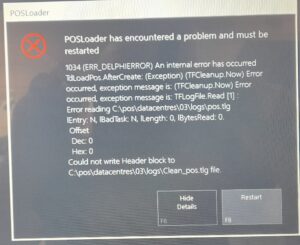
Has a Faulty SSD Put Your POS System at Risk? We Can Fix That + Common POS Issues

At BOSS IT SOLUTIONS, we are committed to delivering top-notch IT services to keep your business running smoothly. In a recent project, we encountered a pressing issue with a Point of Sale (POS) system—a malfunctioning SSD hard disk. Our skilled technicians swiftly addressed the problem by replacing the faulty SSD, Re-Imaging the Unit.

20230619 090525 20230619 085752 20230619 085630 20230619 085448 20230619 085318

Common Issues Faced by IT Technicians When Working on POS Units

Working with Point of Sale (POS) units presents a unique set of challenges for IT technicians. Here’s a quick rundown of the common issues they encounter:

Hardware Failures: Components like SSDs, printers, scanners, and touchscreens can fail, requiring quick diagnosis and replacement to minimize downtime.

Software Glitches: Complex POS software may encounter glitches that disrupt operations. Technicians need to troubleshoot and resolve these issues promptly.

Connectivity Problems: Reliable internet connectivity is essential for real-time transactions. Techs must tackle network issues and ensure seamless communication between devices.

Data Security Concerns: POS systems handle sensitive customer data. IT techs must implement robust security measures to protect against potential breaches.

Compatibility Challenges: Integrating POS systems with other software or upgrading them can lead to compatibility issues. Techs need to ensure smooth compatibility.

Power and Electrical Issues: Power outages or fluctuations can damage POS hardware. Installing surge protectors and backup power solutions is crucial to prevent damage.

User Training: Proper training is often necessary for staff members using the POS system to ensure efficient and error-free operation.

Regular Maintenance: Preventive maintenance is key to avoiding unexpected downtime. Techs should schedule regular check-ups, update software, and replace worn-out parts proactively.

Customization: Businesses often require customized features in their POS systems. IT techs must tailor software and hardware to meet specific business needs.

Vendor Support: Coordinating with POS system vendors for technical support and warranty services can be challenging. Techs may need to navigate these relationships to resolve issues efficiently.

In conclusion, Point of Sale systems are vital for modern businesses but come with their share of challenges. With any of these issues, BOSS IT is just a call away to provide prompt and expert assistance.

Your business’s IT needs are our priority, and we’re here to ensure your Point of Sale (POS) systems run smoothly. Contact us for reliable support and solutions! #BOSSITsolutions #POS #POSIssues

TESTIMONIAL – Bathurst Quarries

Testimonial BathurstQuarries

I have engaged Boss IT to provide updated business operating systems and to resolve ongoing IT issues.  I am happy to provide a recommendation for BOSS IT Solutions, as I have found them to be extremely well-informed and skilled in their services.  I have appreciated their patience in finding the best solution that suits our business and going out of their way to ensure the system runs efficiently and reliably. I have no hesitation in recommending this business to provide a variety of IT solutions.

Kind Regards,

Mary-Rose Townsend

Managing Director

BATHURST QUARRIES

BQLOGO

02 63310321

info@bathurstquarries.com.au

TESTIMONIAL – Tony M

Testimonial TonyM

Boss IT Solutions truly impressed me. The technician was not only super friendly but also incredibly skilled. They took my computer and performed magic – dual booting it with Linux and Windows. Now, my PC runs like a dream, no more overheating, and I’ve got the convenience of two operating systems. I challenge anyone to find an IT guy who would go to such lengths to make a customer happy. Thank you, Boss IT, for your outstanding service

Tony M

BOSS IT Tasked with Setup of 2 x DELL EMC SD WAN

Upon arrival at the site, BOSS IT Solutions immediately assessed the situation by inspecting the received packages, verifying the accuracy of all components and serial numbers. Communication was established with the Head Office to obtain the green light for the project, while onsite staff were duly informed about potential disruptions expected throughout the day, with a dedicated focus on minimizing any inconvenience.

20230607 153315 1

The server rack presented a disorganized state upon inspection. We dedicated efforts to thoroughly clean and organize it to a point where cables were easily identifiable and correctly connected to their respective outlets. It’s worth noting that we adhered to time constraints for cable cleaning, ensuring efficiency without compromising the quality of our work, thus facilitating future maintenance by our team or any other technicians without excessive delay.
20230607 161256

One noteworthy challenge encountered at the site was the absence of mobile reception and Wi-Fi access for tradesmen within the building. This compelled us to utilize a mobile phone and create a hotspot outside the premises, allowing us to maintain communication with the Head Office IT team. This task proved to be quite demanding, but we thrive on such challenges and are committed to delivering effective solutions under adverse conditions.

20230607 161302

Here we program the Dell EMC’s primary and secondary.

20230607 164227

Following our diligent efforts, the Dell EMC systems were successfully installed and are now fully operational.

Can You Revive the Classic Windows 3.1 Mahjong Game on Modern PCs?

A customer asked me today about Mahjong on Windows 3.1, it holds a special place in her heart, yearning for the classic Windows 3.1 Mahjong experience. Well, there’s good news. You can enjoy it on your latest Windows 10 or 11 PC. In this article, we’ll explore three different methods: using the Microsoft App Store, visiting a dedicated website, and for the tech-savvy, the DOSBox method.

Method 1: Microsoft App Store for Windows 10 and 11: If you’re running Windows 10 or 11, you’re in luck. Microsoft has expanded its app offerings to include some classic Windows games. Here’s how you can play Windows 3.1 Mahjong directly from the Microsoft App Store:

  1. Access Microsoft Store:
    • Open the Microsoft Store on your Windows 10 or 11 PC, either through the taskbar icon or by searching for “Microsoft Store” in the Start menu.
  2. Search for “Mahjong”:
    • Inside the Microsoft Store, use the search bar to look for “Mahjong.”
  3. Install the Game:
    • Browse the search results to locate the classic Windows 3.1 Mahjong game, if available.
    • Click “Install” to download and install the game on your PC.

Method 2: ClassicReload.com for Web-Based Play: For those who prefer a hassle-free web-based experience, ClassicReload.com offers an excellent option. This online platform hosts a collection of retro games, including Mahjong. To play Windows 3.1 Mahjong on ClassicReload.com, follow these steps:

  1. Visit ClassicReload.com:
  2. Search for “Windows 3.1 Mahjong”:
    • Utilize the site’s search bar or explore the game library to locate the classic Windows 3.1 Mahjong game.
  3. Begin Playing:
    • Click on the game to launch it directly in your web browser, eliminating the need for downloads or installations.
  4. Relive Fond Memories:
    • Enjoy the nostalgia of Windows 3.1 Mahjong, just as you remember it.

Method 3: DOSBox for Tech Enthusiasts: (We really don’t recommend this unless you’ve really got nothing better to do)

  1. Download and Install DOSBox:
    • Head to the official DOSBox website Dosbox.com and download the suitable version for your operating system.
    • Follow the installation instructions.
  2. Install Windows 3.1:
    • Obtain a legitimate Windows 3.1 installation disk or image from a trusted source, this may prove difficult.
    • Launch DOSBox and mount the directory containing your Windows 3.1 files.
  3. Install and Enjoy:
    • Run the Windows 3.1 setup and install the operating system within DOSBox.
    • Once installed, launch Windows 3.1 within DOSBox and find the classic Mahjong game in the Games folder.

You can relive the joy of playing Windows 3.1 Mahjong on your modern Windows 10 or 11 PC.

Should you encounter any technical challenges or require IT support, Boss IT Solutions stands ready to assist.

LibreOffice vs. OpenOffice – Extensions

In this article, inspired by an online inquiry, we embark on a journey through the world of LibreOffice and OpenOffice extensions, presenting an extensive catalogue of notable extensions. What would influence a user’s decision?

LibreOffice Extensions:

1. LanguageTool: A comprehensive grammar and spell-check tool for multiple languages.

2. Template Changer: Facilitates quick template switching for document creation.

3. PDF Import: Enables the direct import and editing of PDF documents.

4. Writer2xhtml: Exports Writer documents to HTML and XHTML formats.

5. Calc Solver: Provides enhanced mathematical and statistical functions for Calc.

6. Zotero Integration: Streamlines referencing and bibliography management.

7. Google Drive for LibreOffice: Integrates Google Drive for seamless cloud storage access.

8. AutoText: Simplifies the insertion of frequently used text snippets.

9. Grammarly for LibreOffice: Enhances proofreading with Grammarly’s AI-powered suggestions.

10. SendLater for LibreOffice: Allows scheduling email sending in LibreOffice.

OpenOffice Extensions:

1. Sun PDF Import Extension: Imports and modifies PDF files directly.

2. LanguageTool for Apache OpenOffice: A grammar and spell-check tool for multiple languages.

3. Alternative Dialog Find & Replace for Writer: Enhances the find and replace functionality in Writer.

4. Template Chooser for Apache OpenOffice: Simplifies template selection for document creation.

5. Calc Solver for Apache OpenOffice: Provides enhanced mathematical and statistical functions for Calc.

6. PDF Import for Apache OpenOffice: Enables importing and editing PDF files in Apache OpenOffice.

7. Writer2LaTeX: Converts Writer documents to LaTeX format.

8. Vertical Text: Allows vertical text layout within Writer.

9. Report Builder: Enhances report creation capabilities.

10. ExtendedPDF: Expands PDF export options.

Exclusive LibreOffice Extensions/Add-ons:

Google Drive for LibreOffice: Integrates Google Drive for seamless cloud storage access.

AutoText: Simplifies the insertion of frequently used text snippets.

Grammarly for LibreOffice: Enhances proofreading with Grammarly’s AI-powered suggestions.

SendLater for LibreOffice: Allows scheduling email sending in LibreOffice.

MySQL Connector: Facilitates database connectivity within LibreOffice.

Presentation Minimizer: Reduces presentation file sizes for efficient sharing.

Save As DAISY: Converts documents to DAISY format for accessibility.

Exclusive OpenOffice Extensions/Add-ons:

Sun PDF Import Extension: Imports and modifies PDF files directly.

LanguageTool for Apache OpenOffice: A grammar and spell-check tool for multiple languages.

Alternative Find & Replace for Writer: Enhances the find and replace functionality in Writer.

Both offer valuable extensions, but LibreOffice shines with Google Drive integration and Grammarly support. On the other hand, OpenOffice excels with PDF editing and language tools.

LibreOffice vs. OpenOffice: Making the Right Choice

In this article, we’ll explore the key differences between LibreOffice and OpenOffice to help you choose the best office suite for your needs.

Compatibility and Versatility:

LibreOffice:

Versatile and compatible with various document formats.
Strong support for Microsoft Office files.
Modern interface and regular updates.

OpenOffice:

Compatibility with popular file formats but occasional issues with complex MS Office files.
Familiar classic interface with less frequent updates.

Resource Usage:

LibreOffice:

Efficient resource usage for modern and older computers.
Responsive performance on low-spec machines.

OpenOffice:

Higher resource consumption, better suited for more powerful computers.
Performance varies based on hardware.

Extensions and Add-Ons:

LibreOffice:

Extensive add-ons available.
Features language tools and productivity enhancements.

OpenOffice:

Modest add-on collection, suitable for a lean workspace.
Collaboration:

LibreOffice:

Strong collaboration due to MS Office compatibility.
Effective document sharing in mixed software environments.

OpenOffice:

Collaboration support, but may have compatibility issues with other office suites.

Conclusion:

LibreOffice excels in compatibility, resource efficiency, and extension availability. OpenOffice offers a classic interface but may be less versatile. Choose based on your specific needs and hardware.

Built A Linux Windows Dual Boot PC – Special Order for customer

https://youtu.be/bixkUw7BnWQ

Thunderbird or Outlook: Which Email Client Suits Your Business Best?

When it comes to selecting an email client for your business, the choice between Thunderbird and Outlook can be crucial. These two options each offer distinct advantages. At BOSS IT Solutions, we’re here to help you make an informed decision. So, which email client is right for your business?

Cost vs. Compatibility:

Cost-effectiveness is a major factor. Thunderbird, being open-source, is free to use. Meanwhile, Outlook is part of Microsoft 365, which comes with a subscription fee. Thunderbird may be more attractive for budget-conscious businesses. Yet, if your business relies heavily on Microsoft products, Outlook’s seamless integration with Microsoft 365 might make it the preferred choice.

Custom Solutions Tailored to Your Needs:

We understand that every business has unique requirements. That’s why we offer custom solutions. Whether you need advanced features or a straightforward email setup, we’ve got you covered. We tailor the solution to your needs, just like a master tailor crafting a bespoke suit.

Workflow Alignment:

Our expertise lies in aligning your email client with your workflow. We analyze your business’s requirements and recommend the email client that best suits your style. It’s like having a personal stylist for your business email.

The Open Source Advantage:

Thunderbird’s open-source nature makes it highly customizable and suitable for businesses committed to open-source software. It’s like thrifting for software—sustainable and cost-effective.

Our Balanced Approach:

At BOSS IT Solutions, we present a balanced perspective. We provide an unbiased view of Thunderbird and Outlook, ensuring you make an informed choice that aligns with your business’s goals.

So, which email client suits your business best?


Do You Know What Your Apps Are Really Up To?

Smartphones have become an integral part of our daily routines, providing countless functionalities through various apps. But have you ever paused to consider what these apps do behind your back?
Many apps harvest and share data to enhance the user experience—think location-based recommendations or targeted advertisements. However, if an app’s data-sharing practices are murky or suspect, that’s your cue to dig deeper.

Pay a Little, Gain a Lot: The TAPAI vs. LENZ Example

Consider two photo-editing apps: TAPAI and LENZ. While LENZ is free, its data-sharing policy leaves much to be desired. TAPAI, on the other hand, has a nominal fee of $4/month but offers a transparent data usage policy. Sometimes, investing a few bucks a month can buy you peace of mind.
Even when it comes to big tech giants like Google, ‘free’ often comes with strings attached. Always read the fine print to fully understand how your data will be utilized.
So, the next time you’re itching to tap that “Install” button, pause. Review the app’s data-sharing policies. If something doesn’t sit right, perhaps a small subscription fee for a more secure app is a better way to go.
Have you experienced any alarming issues related to app data sharing? We want to know, as your security is our top priority.

Tell Us About Your Easter Eggs

Ah, the enchanting universe of software Easter eggs! These hidden gems have intrigued tech lovers from the early days of 56k modem BBS services to now.

Boss IT Solutions has been in this game since the word go—feeling nostalgic?

The Microsoft Excel 95 Easter Egg: “The Hall of Tortured Souls”

This Easter egg is no accidental find. Hidden deep within Excel 95, unveiling “The Hall of Tortured Souls” requires some detective work. It’s a meticulously concealed feature that takes you from bland spreadsheets to a 3D world showcasing the developers themselves! To unearth this well-guarded secret, follow this in-depth YouTube guide

The name of this Easter egg, “The Hall of Tortured Souls,” might raise eyebrows. Could this be a form of silent protest or a creative vent for developers who felt stifled or underappreciated?

Have You Discovered Any Easter Eggs in Software? Speak up, we’re all ears!

What software concealed the Easter egg you stumbled upon? Is it possible to unlock these hidden gems on today’s hardware, or shall we fire up a virtual machine?

The Question Boss IT Solutions Often Hears: To Shut Down or Not?

If you’ve ever wondered whether to leave your computer on all day or turn it off when not in use, you’re not alone. In fact, this is a question that IT consultants at Boss IT Solutions hear quite frequently. Both options come with their own set of pros and cons, so let’s dive into the essentials.

Advantages of Keeping Your Computer On

Instant Access: No waiting for your system to boot up means you can dive right into work or play.
Automatic Updates: Allow your system to install updates during idle times, improving security and performance.
Remote Access: If you’re working remotely or simply away from your desk, an always-on PC allows you to tap into your files easily.
Scheduled Tasks: Antivirus scans and data backups can be scheduled for idle times, making for a seamless user experience.

Disadvantages of an Always-On System

Electricity Costs: Keeping a computer on round-the-clock will add to your electricity bill.
Wear and Tear: Constant operation could lead to faster wear and tear on components like cooling fans.
Security Risks: An always-on computer could be more susceptible to cyberattacks, requiring robust security measures.
Heat Generation: Prolonged operation may risk overheating, particularly in inadequately ventilated spaces.

In Summary

The decision to keep your computer running or to shut it off is highly personal, influenced by factors like convenience, costs, and security considerations. When in doubt, consulting experts like those at Boss IT Solutions can provide you with personalized guidance. Considering it’s a question they often encounter, you’re in experienced hands. Happy computing!

BOSS IT Solutions: Your Guardian Against Cyber Threats

In an era where data security is non-negotiable, BOSS IT Solutions emerges as your unwavering shield, providing you with peace of mind:
1. Private Clouds
Secure data storage on dedicated servers, putting you in complete control of your information. #PrivateCloud #DataSecurity
2. In-House NAS
• Your digital fortress within your network, ensuring maximum data control and confidentiality. #NAS #DataControl
3. Security-Focused Distros
• Incorporating bootable Linux distros inspired by Tails and Qubes to elevate your protection game. #LinuxSecurity #DataProtection
4. Security Partner

• Our strategic partnership with Bitdefender guarantees top-notch software-level security, complemented by our extensive range of hardware and software services. #Bitdefender #CyberSecurity

At BOSS IT, we empower businesses to fortify their data defenses, offering tailor-made solutions for the modern digital landscape. In a world where connectivity reigns supreme, entrust BOSS IT to be your vigilant guardian of data security. #CyberProtection

Happy Father’s Day

This Father’s Day, my daughter’s simple drawing of me fixing computers warmed my heart and inspired me to work even harder as a dad. It reminded me of the love and appreciation of my family and the significance of our roles as fathers. Fatherhood is a journey filled with love and rewards, and moments like these make it all worthwhile.

Burning Computers: Unmasking the Fiery Side of Human Frustration

We’ve all been there: upgrading our old, groaning computer for a shiny new one. But sometimes, folks with a love-hate relationship with their old PCs wonder, ‘Can we set it on fire?’ So they ask the tech experts at BOSS IT Solutions, ‘Can I safely ignite my old computer?’ BOSS IT assures them that modern PCs are surprisingly fire-resistant due to their construction with non-flammable materials.
You see, inside that beast of a machine, there are components like flame-retardant plastics and metal that won’t readily catch fire. It turns out that the age of fiery PCs is long gone. But hey, we get it, the idea of a Viking-style farewell with an old computer sounds tempting. Armed with sticks and a Viking spirit, they contemplate turning their beloved (or not-so-beloved) machines into molten masterpieces.
In the end, the old computer might not go out in a blaze of glory, but it bows out with a chuckle-worthy, albeit slightly scorched, farewell. It served us well, and the memories it stored are worth more than any fiery send-off.

QR Codes: Convenience with Security by BOSS IT Solutions

QR Codes: Convenience with Security by BOSS IT Solutions

In today’s digital age, QR codes offer speed and efficiency. They simplify tasks like website access, payments, and information sharing. Yet, QR codes also bring security and privacy concerns. BOSS IT Solutions is your partner in securing QR code use. ✨

Benefits of QR Codes:

Efficient and contactless interactions.
Effective marketing tools.
Accurate data entry. ✅
Challenges and Risks:
Malicious QR codes can lead to cyberattacks.
Privacy risks from tracking.
Phishing threats through QR codes.

How BOSS IT Solutions Helps:

Validates QR codes for safety. ✅
Provides robust device security.
Protects privacy and offers guidance.
Offers employee training in security awareness.

Confidently Used QR codes simplify digital life, but security is crucial. BOSS IT Solutions ensures you can enjoy QR codes with confidence, safeguarding your security and privacy in a digital world.

Boss IT Sets up a HIK VISION CCTV System prior to install for Testing

A Hikvision CCTV IP67 camera is a rugged surveillance camera designed to withstand harsh environmental conditions. The “IP67” rating signifies its exceptional resistance to dust and moisture, as it is completely dust-tight (IP6) and capable of withstanding temporary immersion in water up to 1 meter (approximately 3.3 feet). This durability makes it ideal for outdoor security applications, ensuring reliable performance even in challenging outdoor environments.


https://youtu.be/vkspTwcEfuA

Testimonial – Bindweld

Testimonial Bindweld

I first heard about Boss IT through word of mouth, a friend of mine had said Jamie did an excellent job troubleshooting some network issues in his office.

I don’t know much about computers and my number one fear is someone taking advantage of my nativity, so was glad to have a good recommendation. Jamie was immediately available, super friendly, honest, and used his contacts to get me awesome pricing on a new laptop, and later on a modem/router.

He installed and networked the whole lot quickly, and in my business, time offline is costly, so was glad to be back in action. Jamie really works hard to make sure we’re happy and regularly checks in to see if everything’s still ok. I’d recommend Unique Geeks to anyone wanting a reliable, personal IT service.

Mark Baker
NSW Sales Manager
Bindweld
North Sydney NSW

IT Security, Privacy Browser and VPN Setup

Reviewed antivirus protection and installed a VPN across multiple devices. Brave was configured for privacy-focused browsing with favorites imported and synchronized to a phone, unnecessary applications and startup items were removed, and OneDrive and printer operation were also reviewed.

Multi-Device Printer and Network Troubleshooting

Investigated two PCs, a phone and three printers to determine the most reliable printing setup. Computers and a Mac were configured to use the selected network printer, while an unreliable printer was ruled out as not worth repairing.

iPad and Epson Printer Troubleshooting

Investigated an iPad printing problem where the printer application could no longer detect the Epson device. Reset and reinstall attempts were made, and another available printer was configured as a working alternative.

Laptop Deployment and Multi-PC Hardware Updates

Set up two laptops with updates and remote management and reviewed endpoint-security requirements. Hardware updates were also completed across several additional computers as part of a wider workstation refresh.

Scanner, Gmail and Malwarebytes Support

Provided remote support for scanning, including Canon OCR software and Windows Fax and Scan. Gmail cloud behaviour was explained, test scans were completed, Malwarebytes was checked and unnecessary remote-access software and startup items were removed.

Webcam, OBS and Security Software Setup

Set up a webcam and security software, installed OBS and confirmed the camera was working. Duplicate security-software accounts were also identified for consolidation and billing review.

Laptop Wi-Fi Driver and Malwarebytes Setup

Inspected a laptop, registered Malwarebytes and updated the Wi-Fi driver. Wireless connectivity was checked again after the driver change and the laptop was confirmed to be operating normally.

SSD Upgrade and Boot Configuration Assessment

Assessed a desktop for a storage upgrade and identified an internal SSD as the cleanest replacement for an awkward external-drive setup. BIOS boot settings and an old boot sector on the external disk were reviewed, while the existing backup was checked and confirmed to be working.

New PC Migration with Multi-Layer Backup

Set up a new PC alongside the old computer, transferred files, configured printers, Outlook and browser software, and removed bloatware. Windows backup, File History and OneDrive were configured together, and the old PC was networked for temporary access to remaining data.

New Computer, Microsoft 365 and Dual-Screen Setup

Installed a replacement computer, transferred files and folders and configured Microsoft 365, Malwarebytes, browsers and favourites. A dual-screen workspace was set up and a separate external-drive backup was recommended.

Corrupted Office 365 Reinstallation and Backup Repair

Reinstalled Microsoft Office 365 after the existing installation became corrupted and restored Outlook operation. A backup problem was also fixed after the destination drive letter had changed.

Canon Printer and Scanner Troubleshooting

Removed conflicting Canon software, installed current printer, scanner and patch packages and restored basic scan-to-PC functionality. Advanced editing and OCR limitations remained, so a simpler Windows scanning workflow was documented for everyday use.

Slow PC, Malwarebytes and Failing Mac Drive Assessment

Investigated a slow Windows PC, ran startup repair, moved it from a Microsoft login to a local account, applied updates and checked backups. A second PC was cleaned of unwanted software, while a Mac drive was found to have disk errors and replacement was recommended.

Intermittent Laptop Fault and Warranty Diagnosis

Investigated a laptop with an unstable Start menu and flashing cursor, reinstalled drivers and documented the intermittent behaviour. Because the fault appeared hardware-related, warranty return and replacement were recommended instead of continued software repair.

New Laptop Migration with LEAP, Google and Microsoft 365

Transferred files and settings to a new laptop and configured LEAP, Google services, email, Microsoft Office, printers and documents. The printer was connected to Wi-Fi, browser synchronisation was enabled and security, Zoom and remote-management software were installed.

Malware Check and New Printer Setup

Inspected two computers, identified one older machine with serious software problems and recommended retirement rather than further repair. The replacement computer was secured, and a new printer was installed for both printing and scanning.

Microphone, Skype and Browser Security Troubleshooting

Fixed microphone and Skype issues, adjusted Malwarebytes so required websites were no longer blocked and documented the changes for the user. Updates were applied and the slow PC was assessed for a possible RAM upgrade.

Older PC Malware Cleanup and Performance Assessment

Cleaned an older PC by removing unnecessary applications, browser extensions and startup items, registering Malwarebytes and removing detected infections. Security updates were applied, but eventual replacement was recommended because the ageing hard drive continued to limit performance.

New Modem, Wired Network and Multi-PC Security Setup

Set up an older desktop with Malwarebytes, installed a new modem and ran a temporary wired network connection to a PC without Wi-Fi. A slow laptop was also cleaned of heavy security software, browsers were synchronised and webmail shortcuts were configured.

SSD, RAM and Disk Imaging on Locked BIOS System

Installed RAM and an SSD in a specialist workstation with a locked BIOS, then sourced compatible bootable imaging software to migrate the system. After several workshop tests, the machine was successfully imaged, tested and reassembled.

Firefox Update and Malware Check

Resolved Firefox errors by updating the browser after a Windows update-related compatibility issue. Malwarebytes scans were also completed and no malware problems were found.

Router and Network Switch Installation

Installed and connected a router and network switch onsite, including the required network cabling. The new network equipment was prepared for normal business use.

Network Rack, Server and Specialist PC Assessment

Assessed a network rack, switching equipment and specialist workstations and confirmed the core switching and UPS setup was operating correctly. A specialist PC received an SSD and corrected RAM configuration, while server access requirements were documented for future workstation setup.

Business Internet Service and Network Rack Cleanup

Worked with a telecommunications provider to install a new business internet service, trace and patch cabling, clean the communications rack and remove old equipment. A temporary 4G connection was provided so the remote carrier team could configure the modem.

Specialist Workstation SSD Upgrade and Disk Imaging

Upgraded a specialist workstation to an SSD where the original disk was difficult to access and remove. The system was imaged overnight, migrated to the new SSD and tested successfully, producing a significant performance improvement.

Browser Hijack Investigation and Security Hardening

Investigated a browser hijack that prevented remote access, checked the PC with malware scans and reviewed installed programs for unwanted software. A Malwarebytes browser extension was added to improve protection against similar web-based problems.

Conflicting Antivirus Removal and Outlook Repair

Removed multiple competing antivirus products, restored Microsoft Office login and updates and cleaned up Outlook. Malwarebytes was updated and email was confirmed to be working correctly.

Corrupt Outlook PST and Office 365 Repair

Investigated corrupted Outlook PST files, attempted file repair and reinstalled Microsoft Office 365 and Outlook. Backup software was replaced and configured, while additional network-switch and cabling problems were investigated across older computers.

Mac-to-PC Data Transfer and Microsoft 365 Setup

Transferred files between a Mac and Windows PC, then configured Microsoft 365, Outlook and Microsoft accounts. OneDrive was set up as a cloud backup and browser bookmarks were migrated to the new system.

New Laptop, Wi-Fi Printer and Microsoft Account Setup

Set up a new laptop with webmail, security software and a Microsoft account, then configured an Epson printer over Wi-Fi. Data from the old PC was backed up for transfer and remote-support software was installed.

New Laptop Data Migration and File History Backup

Installed a new laptop and monitor, transferred the user’s data and configured Microsoft 365 and the Microsoft account. Malwarebytes, File History and remote-support software were also set up.

Two-Laptop Malware Cleanup and Wi-Fi Printer Setup

Cleaned malware from two laptops, removed unnecessary Norton and McAfee components and installed replacement endpoint protection. A Wi-Fi printer was configured, email issues were corrected and replacement of the older laptop was recommended because of long-term software damage.