Archives for Printer

Enterprise Printer Upgrade and Secure IT Asset Disposal

Completed an enterprise printer refresh for a major retail business, replacing three older multifunction printers with new Color Enterprise systems across multiple departments.

The work included matching replacement equipment to the existing asset schedule, updating printer firmware, recording the old device configuration, configuring network connectivity and hostnames, and coordinating the changeover with the remote IT support team.

Secure asset disposal was performed

Windows 10, Printer and Home Network Troubleshooting

Investigated an older Windows 10 computer and printer setup after printing stopped working following the removal of the customer’s previous home internet service.

The customer preferred to continue using their existing equipment and iPad rather than purchase a new computer or reconnect permanent internet, so every reasonable effort was made to get the current setup working within those limitations.

The Windows 10 computer was configured with Google Chrome and LibreOffice to provide a usable alternative to Microsoft applications. As Windows 10 is now outside normal support and the computer was extremely slow, even basic software and driver installation took considerable time.

Multiple attempts were made to restore printing. The printer was tested over Wi-Fi, through the iPhone hotspot and directly via USB to the Windows computer. Printer firmware was updated and the full manufacturer driver package was installed, but printing still could not be restored reliably.

With several ageing and potentially unsupported devices involved, it was not possible to isolate the fault to one component. The problem may involve the printer, the Windows 10 computer, hotspot limitations, compatibility with the older iPhone, or a combination of these factors.

Recommended restoring a proper home internet connection with a router, as the printer had previously worked when a normal home network was available. The customer was also provided with options for a replacement printer and newer PC or Mac if the existing equipment continues to prove unreliable.
Three PC Rebuilds, Microsoft Family & Printer Setup

Three computers were assessed and rebuilt from scratch with fresh Windows installations, updates, Microsoft accounts and Microsoft Family configured for the household.

The printer was also installed and configured across the working machines.

One older computer was no longer suitable for a reliable Windows rebuild due to its age and hardware limitations. Recommended either installing Linux to extend its useful life or replacing the machine with a newer PC.

Dual-Screen PC Setup and Data Transfer

Set up a new dual-screen computer with login, email and web access. Documents and browser favourites were transferred from the old system, the printer was configured and the customer was shown the main features of the new PC.

Setup of a new shop in NSW

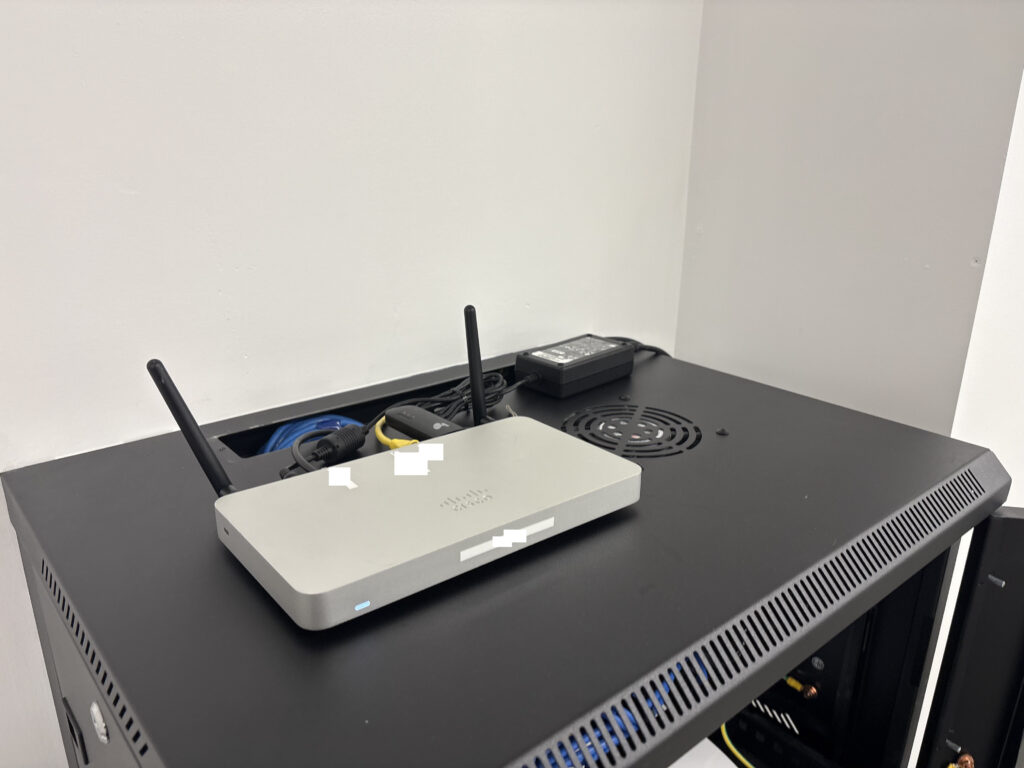
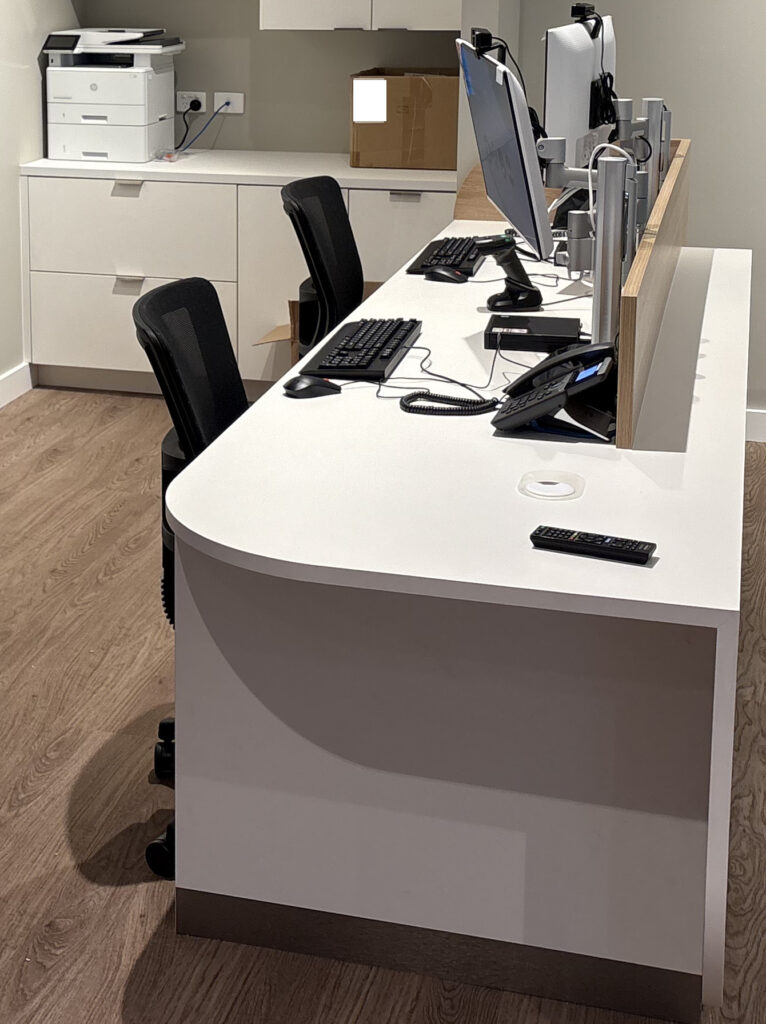
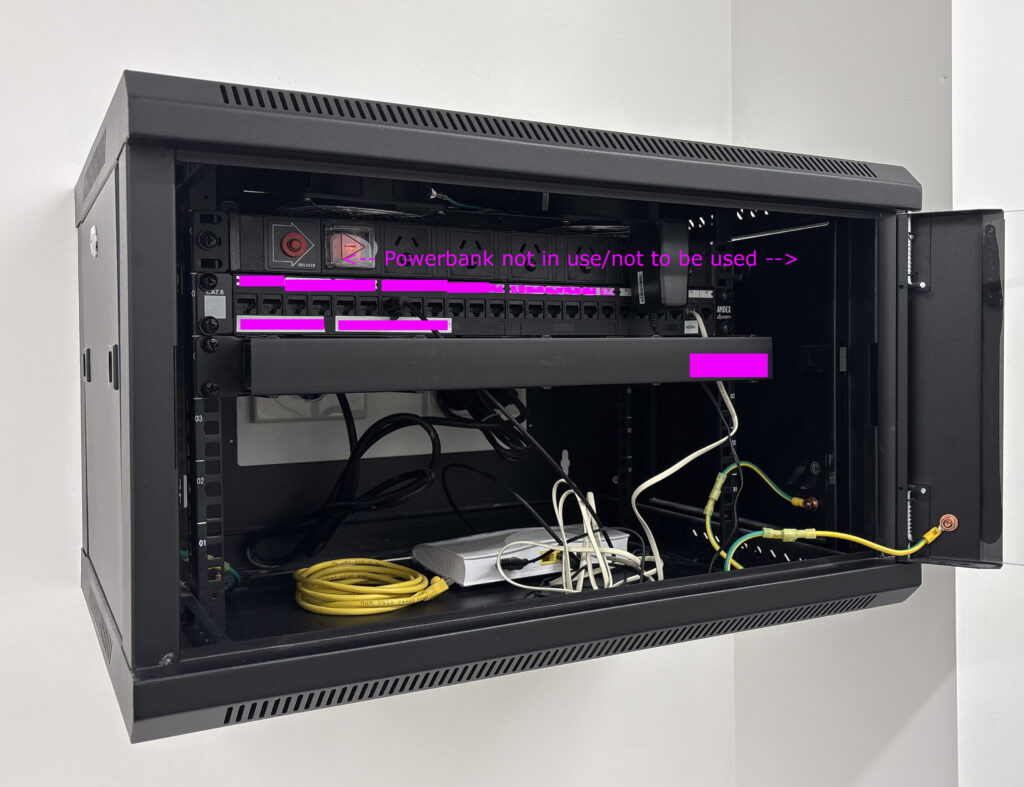
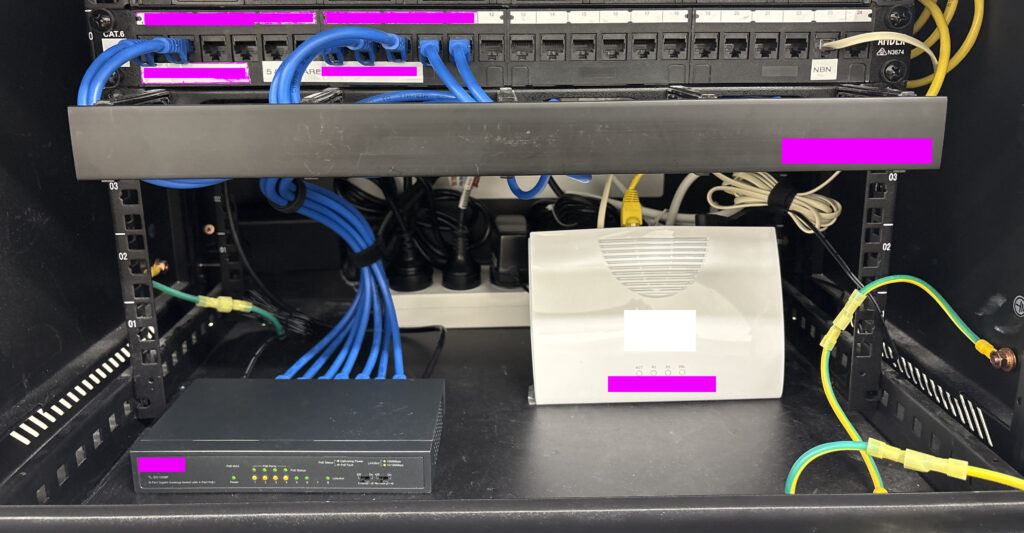
At Boss IT Solutions, this is the standard of work you can expect. In this new shop fit-out, we came in to patch, set up, and optimize the entire rack. From the Cisco router to the NBN modem, switch, phones, desktops, and peripherals. Everything is meticulously placed. We love jobs like this because they showcase the care and precision we bring. When you work with Boss IT, you get not just functionality, but a setup that’s clean and professional.

Tech Installed – Cisco | NBN Modem | 8 Port POE Switch | Desk phones | Barcode Scanner | EFTPOS Terminal | Desktops | Monitors | HP Laserjet | 2x Raspberry/TV devices

Windows, Wi-Fi, Printer and Phone Maintenance

Completed general maintenance on a Windows laptop and confirmed Windows Update and Microsoft account status. Wi-Fi, printer and Gmail issues were fixed, a phone was cleaned of unwanted software, Bit-defender was installed and the phone operating system was updated.

New PC Setup with Email, Printer and Utilities

Set up a new PC, transferred browser bookmarks and configured email. LibreOffice, 7-Zip and antivirus software were installed, and a Canon printer was configured despite Windows 11 driver compatibility issues.

New PC Setup, Data Recovery and Family Security

Set up a replacement PC after storm-related data loss and recovered most available files from OneDrive. Microsoft 365, email, printer and Bitdefender were configured across computers and mobile devices, with operating system updates completed and parental-control setup.

Boss IT Solutions – Fixing a Ricoh That Spawns HTML Pages

https://youtu.be/Gche4QZVLJc

Meet Boss IT Solutions, your go-to experts for unravelling tech mysteries, including fixing a Ricoh printer spawning HTML pages. We’re here to tackle the evolving challenges of the IT landscape with precision and expertise.

IT Security, Privacy Browser and VPN Setup

Reviewed antivirus protection and installed a VPN across multiple devices. Brave was configured for privacy-focused browsing with favorites imported and synchronized to a phone, unnecessary applications and startup items were removed, and OneDrive and printer operation were also reviewed.

Multi-Device Printer and Network Troubleshooting

Investigated two PCs, a phone and three printers to determine the most reliable printing setup. Computers and a Mac were configured to use the selected network printer, while an unreliable printer was ruled out as not worth repairing.

iPad and Epson Printer Troubleshooting

Investigated an iPad printing problem where the printer application could no longer detect the Epson device. Reset and reinstall attempts were made, and another available printer was configured as a working alternative.

New PC Migration with Multi-Layer Backup

Set up a new PC alongside the old computer, transferred files, configured printers, Outlook and browser software, and removed bloatware. Windows backup, File History and OneDrive were configured together, and the old PC was networked for temporary access to remaining data.

Canon Printer and Scanner Troubleshooting

Removed conflicting Canon software, installed current printer, scanner and patch packages and restored basic scan-to-PC functionality. Advanced editing and OCR limitations remained, so a simpler Windows scanning workflow was documented for everyday use.

New Laptop Migration with LEAP, Google and Microsoft 365

Transferred files and settings to a new laptop and configured LEAP, Google services, email, Microsoft Office, printers and documents. The printer was connected to Wi-Fi, browser synchronisation was enabled and security, Zoom and remote-management software were installed.

Malware Check and New Printer Setup

Inspected two computers, identified one older machine with serious software problems and recommended retirement rather than further repair. The replacement computer was secured, and a new printer was installed for both printing and scanning.

New Laptop, Wi-Fi Printer and Microsoft Account Setup

Set up a new laptop with webmail, security software and a Microsoft account, then configured an Epson printer over Wi-Fi. Data from the old PC was backed up for transfer and remote-support software was installed.

Two-Laptop Malware Cleanup and Wi-Fi Printer Setup

Cleaned malware from two laptops, removed unnecessary Norton and McAfee components and installed replacement endpoint protection. A Wi-Fi printer was configured, email issues were corrected and replacement of the older laptop was recommended because of long-term software damage.

New Laptop, Office 365 and Dual-Monitor Setup

Set up a new laptop and monitor, transferred data from the old PC and configured Microsoft 365, accounting software, two wireless printers and IMAP email. Dual-monitor support was enabled and internet instability was documented for follow-up.

Failed Hard Drive, Data Recovery and New PC Migration

Recovered usable data from an old PC after serious malware problems were followed by hard-drive failure. The recovered files were transferred to a replacement computer, where backup, Outlook, security software, printers and required applications were configured.

New PC Installation, Microsoft 365 and Data Transfer

Set up a replacement PC after an attempted RAM upgrade on the old Windows 7 machine was not viable. Files were manually transferred, Microsoft 365 and OneDrive were configured and remote support was installed, while an older printer was left for further driver troubleshooting.