Full Seasonal System Game has every season. Spring, Summer, Autumn, Winter – Making up the Main Game Loop Day/Night Cycle Dynamic lighting curves, smooth transitions, night creatures, and the groundwork for weather events. New Firefly Enemy Designed and illustrated a fully custom firefly for Night time crafting missions.
Thumbnail Generator Upgrade My editor tool now includes a selectable light intensity slider to generate perfect transparent PNG thumbnails for every enemy and object. Crafting & Inventory System now Ready to Integrate This devlog shows a ton of progress across visual systems. Webster’s is starting to feel truly alive.
Posted on by admin in Programming, Webster | Comments Off on BOSS IT DEV DIARY 00020 – AI ADVICE | FIX SINGLETONS | EVENTS & DELEGATES | ENUMS | NAS HDD FAIL
In this episode, I tackle a series of updates and fixes to my game project, but let me just say upfront… this wasn’t all I worked on over the last 2 days. Here’s the deal: I also researched and tried:
Integrating GPT into IDEs like Visual Studio and Unity for coding and game development. (still working on this) Unified workflow ideas using tools like LangChain or Auto-GPT. Attempted to setup Studio – Using two webcams, a phone camera, and existing tools (OBS and Shotcut) to create a recording setup in a lounge room. Camera placement strategies for effective multi-angle shots.
Worked on creating a Linux Windows Subsystem to run Ubuntu on Windows 11 for my open-source AI assistant, then started exploring hosting it on a VPS and also on HYPERV or VMWare and VirtualBox?? So much effort…
Spent over an hour on the phone with my domain provider, trying to access my cPanel to do some SEO… still no resolution. Goal to duplicate current wordpress and improve the SEO, looking into hosting options and Crypto providers in Switzerland. So yeah, lots of spinning plates today, but let’s get into the main devlog.
🎮 Game Development Breakdown:
0:49 – GameManager Overhaul: Revamping the GameManager, consolidating the SceneManager, and streamlining the workflow.
1:05 – Singleton Management: Exploring Events and Delegates for cleaner singleton handling.
1:37 – Scriptable Objects Revisited: Rethinking their role in the project’s architecture.
2:30 – Unity Editor Tweaks: Coding specifically for the editor to enhance productivity.
2:53 – DestroyOnLoad Debate: Evaluating whether to use DontDestroyOnLoad for certain objects.
4:08 – TimeManager Redesign: Separating the TimeManager and integrating a custom timer into the GameManager.
4:25 – Hardware Troubles: Encountering potential issues with my NAS WD Red drive.
4:35 – GameManager Refinements: Streamlining and optimizing its functionality.
5:00 – Simplification: Introducing Enums and reconsidering the SceneManager’s purpose.
5:39 – UI Fixes: Assigning dedicated Canvases to managers and addressing UI bugs.
7:19 – Code Cleanup: Ongoing efforts to clean up messy scripts and improve maintainability.
7:42 – GameManager Accessibility: Ensuring it works seamlessly across all scenes.
8:00 – Spider System Optimization: Addressing and cleaning up spaghetti code.
8:32 – PauseMenu Implementation: Adding a PauseMenu with an attached canvas for smoother gameplay.
9:09 – UI Redesign: Updating the UI with a brown and cream color palette for a cohesive look.
11:07 – Bug Fixing: Recovering from a mistake in Fly.cs and implementing a better solution.
12:12 – Final Adjustments: Wrapping up miscellaneous tasks and improvements.
19:10 – Fly System Updates: Successfully spawning flies via FlyCreator and refining WebsterLevels.cs.
Posted on by admin in Software, Gaming, Programming, Webster | Comments Off on BOSS IT DEV DIARY 00019 – SCORE UI | EYE CANDY | GAMEMANAGER | FINALSCORE | SCORETALLY
Posted on by admin in Programming, Tutorials, Webster | Comments Off on BOSS IT DEV DIARY 00018 – 2D EYE TRACKING CURSOR & ENEMY | PERSONALITY | EYEBROWS |
For those who are watching, I really appreciate you, and I want your feedback or suggestions on things you’d like to see.
0:12 – Creating Personality – Eyes Follow Cursor
0:35 – Making the Eyes and Pupils in Gimp
1:37 – EyeMovement.cs Script
2:43 – Quick Test
3:17 – Making the Eyebrows in Gimp
3:51 – SPIDERMOOD.CS – MANAGE THE BROWS
6:36 – Experimenting with multiple eyes
8:27 – Testing
9:07 – Back onto 2 eyes
9:20 – Making the Eyes Blend Better with Model
9:47 – Making the Eyebrows
11:02 – Cleaning up Scripts
11:23 – SpiderMood.cs Plugging into the FlyStatus Code
12:14 – Spider.cs SpiderStatus
12:33 – SpiderMood.cs SpiderStatus
13:04 – Implementing SWITCH/CASE of the Spider.cs STATUS ENUM Into the other scripts that will reference it to do their own tasks Without needing Spider.cs to do everything.
13:34 – Setting up the WATCHFLYS()
14:43 – Setting up the Switch/Case In SpiderMovement
15:36 – Fixing Switch/Case in EyeMovement
16:02 – Cant Reference Like This, Need Local Varable16:35 – I figured it out Eventually
17:19 – Fixed EyeMovement Switch/Case
17:49 – Setting up to watch Multiple Enemies
18:33 – BUILD PREVIEW
19:21 – Some Variables Made
19:54 – Replace Dialogue Spiders with new ones
20:21 – Obviously Lots of Script Breaks Going to Fix
21:08 – Make Spider State Dictate the Mode Of Spider
21:33 – Pointless cause I fix all the scripts without having to disable them for dialogue scene
22:27 – Fixing SpiderLives.cs
22:53 – Get Leg Anims Out of Spider.cs – SpiderLegs.cs
25:03 – GameManager to Change Spider Status
25:28 – Improving the SceneManagerScript.cs
25:47 – Seem To Be Doing All Sorts of Assorted Stuff
26:31 – Apply Spider GIZMOS
26:48 – Testing
27:14 – THE NEXT DAY … DAY 2
27:37 – Making a Fly Factory
31:03 – STARTING TO PASSOUT
31:15 – STARTING TO PASSOUT – LEFT IN BROKEN STATE 🙁
I’ve been putting in half a day to edit each video, sharing hard-earned knowledge, tips, and tricks across 45+ videos. With only 1 like on most of them, it’s tough to justify this level of time and energy without more engagement—it’s clearly not as valuable as I thought and is distracting me from making the game.So, moving forward, I’ll scale back to 1-2 videos per week to keep things manageable. Every like, comment, or suggestion could lead to another 2-3 videos or even spark programming binges—it’s often the only thing motivating me to keep creating. Your support really DOES make a difference in shaping what comes next. Thanks to those who are watching!
MUSIC – See my Friend – https://pixabay.com/users/turtlebeats-46526702/
Posted on by admin in Music | Comments Off on When Developer Hands Hit the Piano Keys – Interstellar, Terminator 2, The River Flows in You
When Developer Hands Hit the Piano Keys
🎶 When Developer Hands Hit the Piano Keys 🎶
I’ll be sharing covers of some favorite pieces like Interstellar, Terminator 2, and River Flows in You. The piano is part of my creative process as a developer, helping me think outside the box and bring fresh ideas into my projects.
Posted on by admin in Programming, Webster | Comments Off on BOSS IT DEV DIARY 00017 – PHP | SQL | XAMPP | JSON | HTML | UI LEGACY REPLACED TMPPRO | MYPHPADMIN
Rewrote my Old PHP scripts with AI
Wrote HTML Scripts to modify database for testing
Successful connection to locally hosted SQL Database
JSON Password hashing
Connect, Login, Register, Get_Score, Submit_Score PHP
HTML Scripts to modify
phpMyAdmin for Testing
APIMANAGER.cs and LOGINCONTROLLER.CS Scripts in Unity
Re-Considered UI Toolkit
Removing Legacy TXT objects
Implementing strictly TMP Pro Text and Input fields
RE-Designed entire main menu screen and menus
Passed out a few times, some edits done
Set up a standard for fonts, windows. UI elements
Happy that my Database is creating new entries and reading them via the HTML tests and directly via the php scripts, so just need to implement into unity.
MUSIC – TurtleBeatshttps://pixabay.com/users/turtlebeats-46526702/
Posted on by admin in Programming, Webster | Comments Off on BOSS IT DEV DIARY 00016 – TimeLapse | MAP Locations | Lore | Anim | Weather | SQLPHPResearch | Build
Today I Designed a Game Map using AI and put it in my Game
– Created a bunch of UI Elements to Identify areas on the map
– Created the Locations and Lore for them
– Fixed Boss Animation and Camera Zoom Slightly
– Hooked up the SceneManager to load all 4 scenes in order
– Fixed GameManager issue not changing weather because of donotdestroyonload – needs work
– Created Blue Lighting Effects
– Researched SQL PHP for HighScores, Accounts, Login
– Troubleshooted Build not the same as Scene
PLEASE LIKE & SUBSCRIBE – IT ENCOURAGES ME TO DO MORE AND NOT FEEL LIKE IM WASTING MY TIME AND IDEAS
Anything you want to see? Ideas? Let me know. Want to Contribute?
MY PC is struggling with this GTX1650 Downgrade while my Radeon 9850XT gets replaced or repaired.
I have INVESTED in VIDEO & GAME Production and ordered a – PreSonus AudioBox 96 Studio 25th Anniversary Edition Recording System – Expected in 3 weeks. https://www.amazon.com.au/gp/product/B08DBGNZT1/ref=ppx_yo_dt_b_asin_title_o00_s00?ie=UTF8&th=1
Posted on by admin in Programming, Kangaroo Court | Comments Off on BOSS IT DEV DIARY 00015 – TimeLapse | Kangaroo Court | Making the Teaser | Animation | Gimp | Image
Today, I took a short break from my main project, Webster, after dealing with a corrupted GitHub commit that took four hours to troubleshoot and fix. I had to watch my own tutorial videos to recreate certain parts—quite the drama! But don’t worry, I’m not switching projects or giving up on Webster. After all that, I just needed a change of pace, so I decided to dive into something I’m planning for next year: Kangaroo Court.I didn’t start recording this process until I realized it might actually help someone else going through similar issues. Hope you find it useful!
Maritime Law, Common Law, StrawMan Argument, UCC | CEST Q VIE | Crown Law, Gods Law
PLEASE LIKE & SUBSCRIBE – IT ENCOURAGES ME TO DO MORE IT REALLY DOES
Anything you want to see? Ideas? Let me know. Want to Contribute?
MY PC is struggling with GTX1650 while my Radeon 9850XT gets replaced or repaired.
Have INVESTED in VIDEO & GAME Audio and Mic – PreSonus AudioBox 96 Studio
MUSIC used in my VIDEO – I Support other Creators:
https://pixabay.com/music/modern-classical-movie-soundtrack-lost-in-time-254967/
https://pixabay.com/music/modern-classical-movie-soundtrack-lost-in-time-254967/
Thanks for donating $5.00 USD toturtlestudioscompany
We’ll send you back to turtlestudioscompany in a few seconds.
Posted on by admin in Programming, Webster | Comments Off on BOSS IT DEV DIARY 00013 – TimeLapse | BossBird Creation | Animation Events | GIMP | SOUND AQUISITION
Todays Video, is a combination of several hours time lapsed.
– Got a 2D Enemy Created by AI and Cleaned it up in Gimp
– Seperated parts of the enemy for simple animations
– Animated the Enemy and Used Animation Events for the first time
– Built the Game and Tried out the new Prologue Scene
PLEASE LIKE & SUBSCRIBE – IT ENCOURAGES ME TO DO MORE AND NOT FEEL LIKE IM WASTING MY TIME AND IDEAS
Anything you want to see? Ideas? Let me know. Want to Contribute?
MY PC is struggling with this GTX1650 Downgrade while my Radeon 9850XT gets replaced or repaired.
I have INVESTED in VIDEO & GAME Production and ordered a – PreSonus AudioBox 96 Studio 25th Anniversary Edition Recording System – Expected in 1 month. https://www.amazon.com.au/gp/product/B08DBGNZT1/ref=ppx_yo_dt_b_asin_title_o00_s00?ie=UTF8&th=1
MUSIC used in my VIDEO
– https://pixabay.com/music/beats-chill-house-mellow-moments-251693/
– https://pixabay.com/music/beats-chill-house-lost-in-the-night-251694/
Posted on by admin in Programming | Comments Off on BOSS IT DEV DIARY 00012 -.666 TimeScale Overide | Custom Class | Female Voice | LAG Issues | WebGibs
Todays Video, is a combination of several hours time lapsed.
– Did a Custom Class for managing Dialogue Objects to work with the existing Dialogue Manager.
– Found out I’ve been Developing with a manual Timescale over-ride of .666 for several days – Not a Freemason lol
– Have a Female Voice now in the Dialogue, seeking to improve our recording.
– Game had Lag issues, I believe its due to the GeForce GTX1650 Downgrade (Radeon 9850XT on RMA)
– Some trickery using Hierarchy and Disabling Scripts and Gameobjects within Hierarchy.
There are some missing parts. I originally recorded Audio, but the video was over 1 hour long and mostly just telling some harsh truths certain to be censored and I didn’t want to spend all my time ce*soring myself to conform.
I’ve Timelapsed and muted most of the video, also sound issues, I am working on getting a proper mic. MY PC is struggling with this GTX1650 Downgrade while my Radeon 9850XT gets replaced or repaired.
Looking into a:- “Focusrite Scarlett 2i2 4th Gen USB Interface with Software Suite, Bundle with AT2020 Microphone, TAPH100 Headphones and Mic Stand Recording”
Posted on by admin in Programming | Comments Off on BOSS IT DEV DIARY 00010 – LAYER ISSUES | FLY Fly in from behind Camera | 3D Sound | Fixed some UI
Please Note, not all Work was recorded
Setting different Pitch Variables as Public for more fly customization
Fixed Overlapping fly onclick issue*
Fixed Stamina not working*
Cleaned up some messy scripts
Re-did the Pause Menu so elements aren’t in players way
Added an Onclick Tally for later Accuracy calculations with Score
AudioListener moved to spider and setup to 3D fly sound effects – cool
Flys now Fly into the Scene from behind camera
Fixed some UI issues and bugs
//TODO: * potentially issue in FlyPool with Onclicking for already used pooled Flys, I cant remember if I’m even using one, might need to if I’m not. Stamina issue is a strange one, I need to reference it in script as SpiderStamina.GetComponent(Whatever)() Requires further investigation
Pause Menu still has issues
Use Flystate to represent a intro or not playgame fly and when Entering gamefield eg // FlyState.Entr
————— BONUS FOR NEXT VIDEO ——————
We worked on a Design of a Boss Style Catepillar Enemy Stay Tuned
Created a Dialogue and Story Line and Voice Acting with a Friend.
Started work on a Prologue / Tutorial Scene
Anything you want to see? Ideas? Let me know. Want to Contribute?
Posted on by admin in Programming | Comments Off on BOSS IT DEV DIARY 00009 – TMPPRO | UI | ANIMATIONS SCORING | Not using UI Tools in this project.
Spent most of the day Animating Scores, making it work with the UI and Layers. I did install UI Tools way back during remaking Webster, but my game code relies heavily on layers and already working with Unity UI elements as is, so i decided not to use UI Tools at this stage.
The Leaching mechanic for Stamina was fixed and visually represented. Fly Freak Mode also more obvious and score doubles. UI and elements and game objects are all all layered correctly.
I didn’t record all my work today. Half my work was cut from the video due to time contraints and i was just on a mission to get it done.
//TODO: Feed Small Stamina to player on Fly Traped also, so player has no excuse not to have stamina.
//TODO: Repeat this process for Health possibly unify Script for UI handling
I’ve put a lot of time and effort into making videos. If you’re enjoying what you see, please consider liking and subscribing. Your support makes a huge difference and gives me the motivation to keep creating. With more subscribers, I can dedicate even more time and energy to bring you the best content possible!
Posted on by admin in Programming | Comments Off on BOSS IT DEV DIARY 00008 – How I made music for my Game in FLSTUDIO & import to Unity – Workflow Hack
My process for making not fantastic music in less than 1hr
I’ve put a lot of time and effort into making videos. If you’re enjoying what you see, please consider liking and subscribing. Your support makes a huge difference and gives me the motivation to keep creating. With more subscribers, I can dedicate even more time and energy to bring you the best content possible!
Posted on by admin in Programming | Comments Off on BOSS IT DEV DIARY 00007 – How I Create 2D Enemies using AI and Gimp with Unity3D – Workflow Hack
My process for making 2D Characters that requires NO Art skills.
I’ve put a lot of time and effort into making videos. If you’re enjoying what you see, please consider liking and subscribing. Your support makes a huge difference and gives me the motivation to keep creating. With more subscribers, I can dedicate even more time and energy to bring you the best content possible!
Posted on by admin in Programming | Comments Off on BOSS IT DEV DIARY 00006 – GUI/Ambient Audio | FLStudio | StaminaBar | GetComponents | Commit to Git
I Let Youtube remove music and it made a mess of the audio.
Worked on AudioManager for GUI and Created Ambience Mixer
Created Score Points Tone in FLStudio
Got Stamina Bar working, Feeds player when Fly killed and drains when player runs
Troubleshooted UI issues for Points and Scoring, trying to find where audioclip is being played from. was on the Fly. (Not ideal)
Fix GetComponents on legs getting more than leg animators
Adjusted Fangs animations
Commit to GitHub
Created a Build that works well.
Posted on by admin in Gaming, Programming | Comments Off on Dev Diary 00003 – From GoDot Back to Unity
“Webster’s Development Journey: From GoDot Back to Unity”
After two years of trying to move Webster to GoDot, we decided to return to Unity, sticking with what we know best. This decision has been a major turning point for the project. With the introduction of AI tools, our development has accelerated like never before. Our creative and programming potential has reached new heights, and every day brings exciting new challenges. Plus, we’re composing all our own music and sound where possible, further personalizing the experience.
We’ve completely remade Webster, and in this video, you’ll see the stark difference: before AI, with just 0.5 years of experience, versus after AI, with two solid years of growth and learning. The improvements are incredible.
The goal is to publish Webster, and whether it succeeds or not isn’t the point—this journey has been all about persistence and passion. Success doesn’t happen overnight, and it’s that drive that keeps us moving forward.
This video shows a glimpse of Webster before (Unity 2022 and prior) and after (2024+), showcasing just how far we’ve come.
Posted on by admin in Programming | Comments Off on Unity3D | Unreal Engine & Godot | What to choose?
They are all great Engines and nothing is ever 100%. Utlimately it boils down to what kind of work your going to be doing, solo or team and/or creative art style 2D or 3D? Myself, I like to DIY everything and not use other peoples assets (I use Gimp(2D art) Blender(3D art) and FlStudio (Music Production).
If i were a starting Developer and making only solo games, using simple pixel art style, I would choose GoDot hands down. If i were a more 3D enclined artist, maybe have a team, dont mind lisencing agreements, then I would go with Unity3D, and if i wanted to focus on c++ and Realistic Environments, I would go with Unreal, However I would expect it would be a large investment of time to master.
Unity: Pragmatic Choice
Familiarity: Unity’s user-friendly interface and C# scripting language align with my existing skills, i have about 20+ projects in Unity3D since 2018 and used it for my University assignments.
Quick Deployment & Prototyping: Unity’s rapid development cycle and cross-platform support. Prototyping is easy, building on mobile is easy.
Strong Community: Extensive documentation and a supportive community aid in troubleshooting and learning.
Unreal Engine: The Tempting Beast
Impressive Graphics: Unreal’s graphical capabilities are unmatched, creating stunning visual experiences. My machine struggles with the Matrix Demo running a $600 video card. We also lack an artist.
High Learning Curve: Unreal’s complexity and resource requirements can be challenging, especially for solo developers.
Potentially Overkill: Unreal Engine 5’s advanced features may be excessive for my current projects.
HOWEVER if i was a newbie, id start with structured Unreal courses and/or playing around in GoDot.
Godot: The Open-Source Appeal
Simplicity and Flexibility: Godot’s lightweight nature and intuitive design provide a refreshing alternative.
Open-Source Philosophy: Godot’s open-source nature aligns with my values and provides freedom in development.
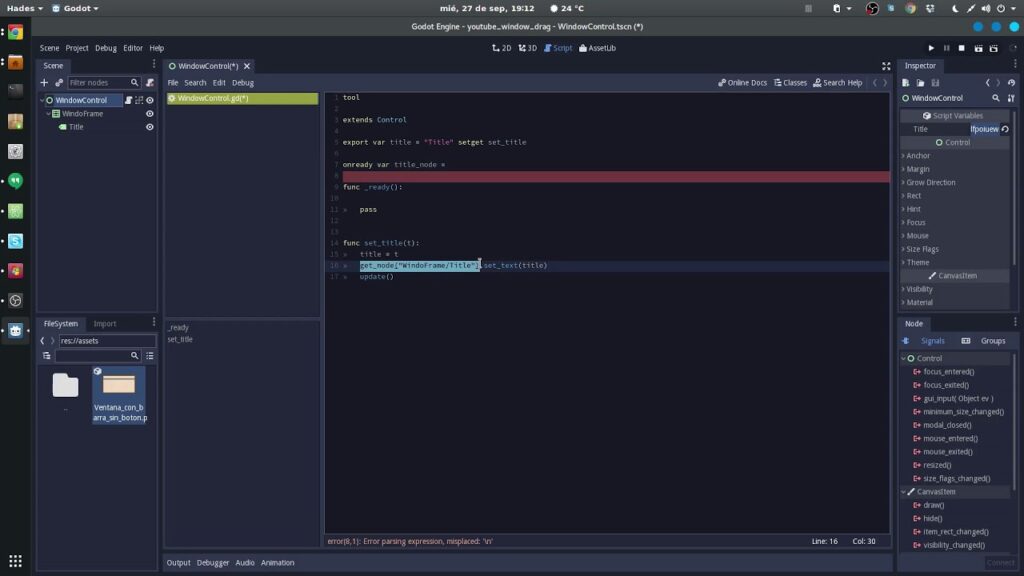
Limited Experience: While intrigued by Godot’s potential, I haven’t fully explored its capabilities yet. I did start to re-create an existing project in it, and got quite far however I struggled with its Sprite system and had to start using 3rd party apps to do splicing and things.
Unity as the Practical Choice
Less delays, less procrastination, when using unity and it meets my current demands, I remain open to exploring Unreal Engine and Godot further as my skills progress.
In Conclusion
Practicality Prevails: Unity’s practical advantages make it my engine of choice for current projects.
Openness to Exploration: While committed to Unity, I acknowledge the potential of Unreal Engine and Godot for future endeavors.
Game Development Journey: As I continue to grow and learn, the dynamic landscape of game development promises new adventures and discoveries.
My dream would to be able to make full envrionments in Blender and UE5 utilizing Nanite and Lumen on my own models, but that would take up my entire life.