Part 2 – Was supposed to be a full security hardening tutorial, but due to a external hard disk failure, unable to rescue almost 2 days worth of OBS / Shotcut footage. Decided to make a video anyway. SPF, DKIM, DMARC, DNSSEC, and more.
Part 1 – DNS moved. Microsoft 365 mail flowing. SMTP working through Azure. Forms fixed. Mail online.

At Boss IT, one of the thing we do is help businesses and homeowners like you navigate the confusing world of web hosting, security, and website performance.
One of the most powerful tools we use is Cloudflare and its completely free and here’s why you should consider it:
What Cloudflare Does for You
Faster Website:
Cloudflare makes your website load faster by storing content in different locations around the world. That means happier visitors who stick around longer.Free SSL (Security):
Cloudflare secures your website with a free SSL certificate. This means your website is safe for visitors, without paying for expensive certificates.Better Security:
Cloudflare protects your website from hackers and bots. It’s like a security guard for your site, keeping it safe without extra cost.
Full Technical Rundown of Today’s IT Work (Including Domain Redirect and DNS Issues)
At Boss IT, we’ve been working on streamlining web infrastructure by migrating DNS services and ensuring website is faster and more secure. Here’s a breakdown of what was done today, including the com.au to net.au redirect, DNS migration, and the PowerShell script used for validation, as well as the pending Exchange email setup:
Domain Redirect (com.au to net.au)
Domain Setup:
Two domains: com.au (used solely for branding purposes) and net.au (the primary domain).
The goal is to redirect all traffic from com.au to net.au, so visitors are automatically sent to the main website.
Redirect Configuration:
We migrated DNS management for com.au to Cloudflare and set up 301 redirects for com.au to net.au using Cloudflare’s page rules.
Since com.au didn’t have a website or email services*, the redirect is primarily for branding, ensuring that any traffic or links to com.au are automatically directed to net.au.
Challenges with Missing A/AAAA Records:
We encountered an issue because com.au didn’t have any A or AAAA records, obviously*, and these are required for Cloudflare’s proxying service to route the traffic correctly.
To resolve this, we used wildcard DNS records (*.com.au) to ensure that all traffic for com.au is routed through Cloudflare and properly redirected to net.au.
Cloudflare DNS and SSL Configuration for com.au
DNS Migration to Cloudflare:
We successfully migrated the DNS management for com.au to Cloudflare, centralizing control and improving website performance.
DNS records were updated to direct com.au traffic to net.au, and all traffic was routed via Cloudflare’s network for enhanced speed and security.
SSL Setup for com.au:
We enabled free SSL certificates via Cloudflare for com.au, ensuring that website traffic is secure with HTTPS encryption.
Always Use HTTPS was configured to automatically redirect all HTTP traffic to the HTTPS version.
Security Configuration for com.au:
Cloudflare’s DDoS protection and firewall rules were implemented to secure com.au and ensure it stays protected from malicious traffic.
PowerShell Script for DNS Validation (We obviously used https://dnschecker.org as well, but code is more fun)
PowerShell DNS Validation:
We used a PowerShell script to validate the DNS records and ensure the DNS propagation was happening correctly.
The script specifically checked for:
NS records: To confirm that Cloudflare’s nameservers were properly set up.
A records: To ensure Cloudflare was correctly routing traffic to the website.
MX records: To check if email traffic was correctly routed to the Exchange server.
Example PowerShell Command:
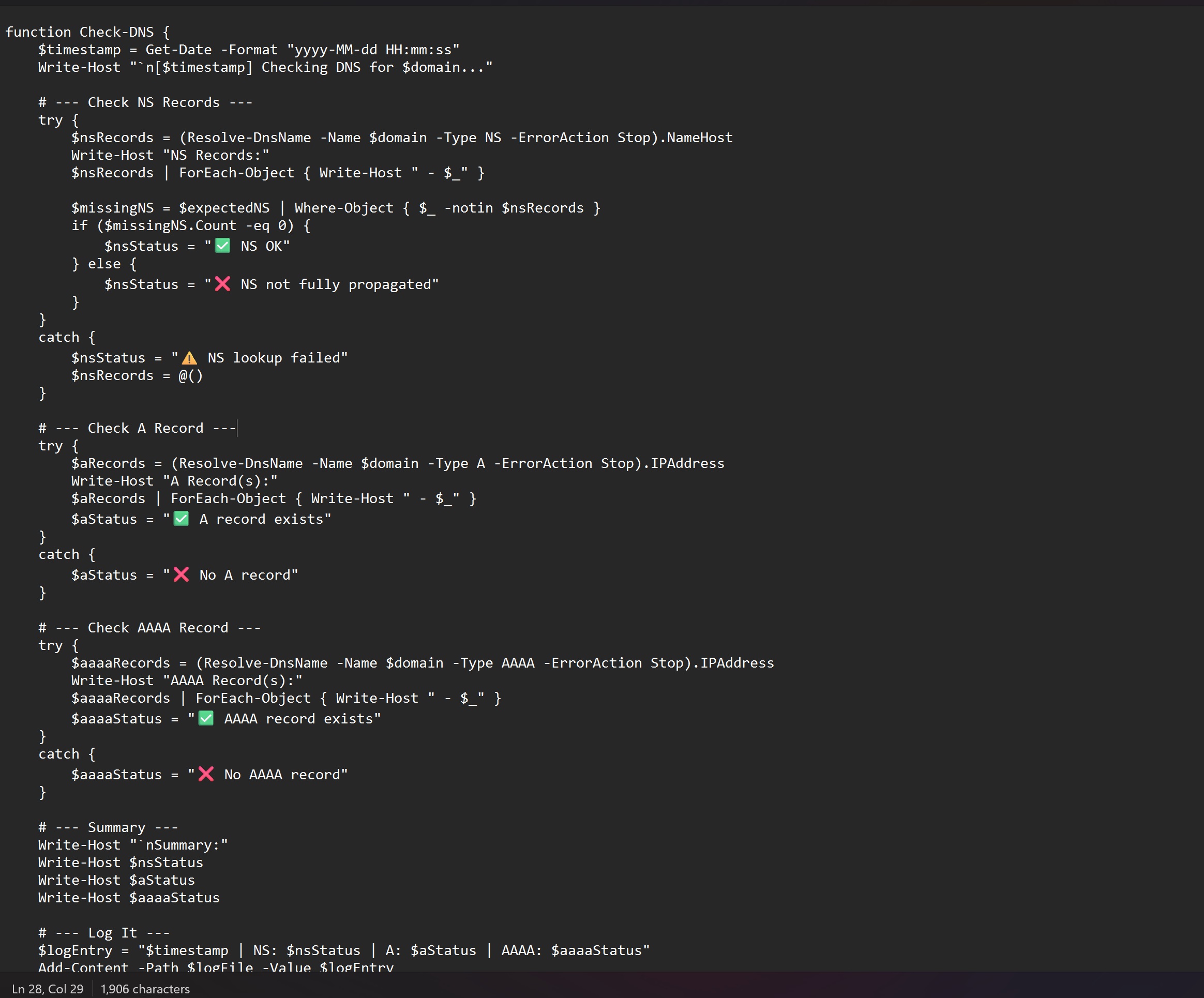
The script confirmed that Cloudflare’s nameservers were active for both domains, and it will help us track DNS propagation for the NET.AU Domain when we migrate that across later.
Exchange Email Setup and DNS Migration for net.au (Pending)
Repeat the Process for net.au:
The steps we followed for com.au will need to be repeated for net.au. However, since net.au has live services such as Exchange (email) and an active website hosted, we need to be extra cautious to ensure everything continues to function correctly.Exchange Email Setup:
MX records will need to be updated for net.au, but we’ll keep the Exchange service hosted by the domain provider, as they host the Exchange Premium service. So essentially pointing back at them.
As with com.au, we’ll update the MX records in Cloudflare to reflect the correct Exchange settings. Since net.au uses Exchange, we’ll avoid disrupting the live email service by carefully updating the MX records at off-peak hours.
Website and SSL:
net.au has an active website (currently hosted), so it will remain on WordPress cPanel hosting, but we’ll be managing DNS and SSL for net.au through Cloudflare.
We’ll ensure free SSL certificates are set up in Cloudflare for net.au so that the website remains secure with HTTPS encryption, even though it is still hosted on CD.
Pending Tasks for net.au:
DNS migration for net.au will follow the same steps as com.au, but with extra care due to live services. We will use wildcard DNS records for the domain and Cloudflare’s proxying services to manage DNS and SSL while keeping Exchange and the website intact on Domain Host.
After the MX records are updated and DNS is fully propagated, we will test email routing and confirm that the website continues to operate as expected.
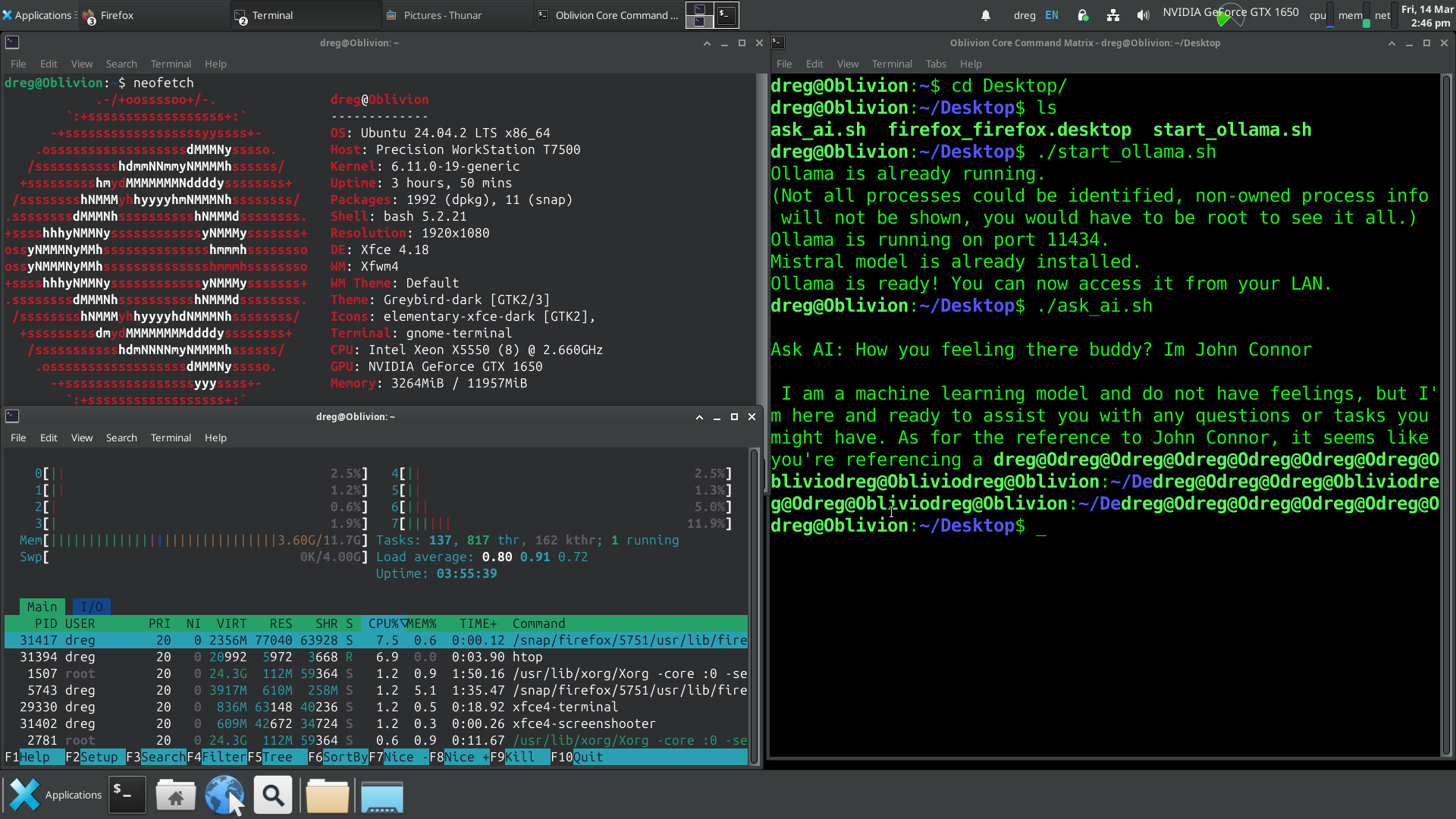
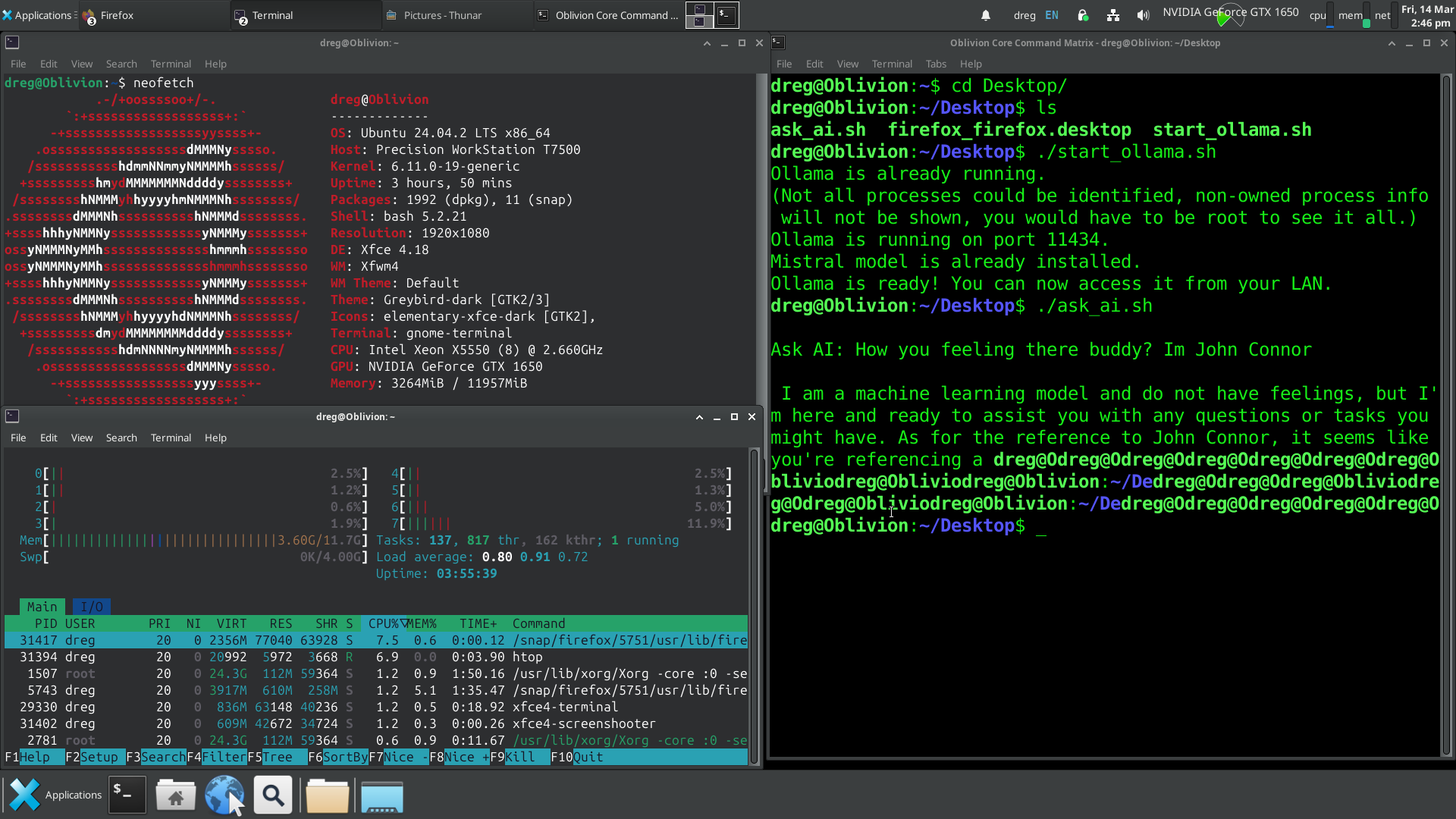
Fixed BOSS AI GUI so it actually works without breaking. The menu used to vanish when launching Ollama, debug mode didn’t log properly, and AI responses had no indication of processing. Now Ollama runs in the background, AI shows a “Please wait…” message while thinking, and debug mode actually logs stuff.
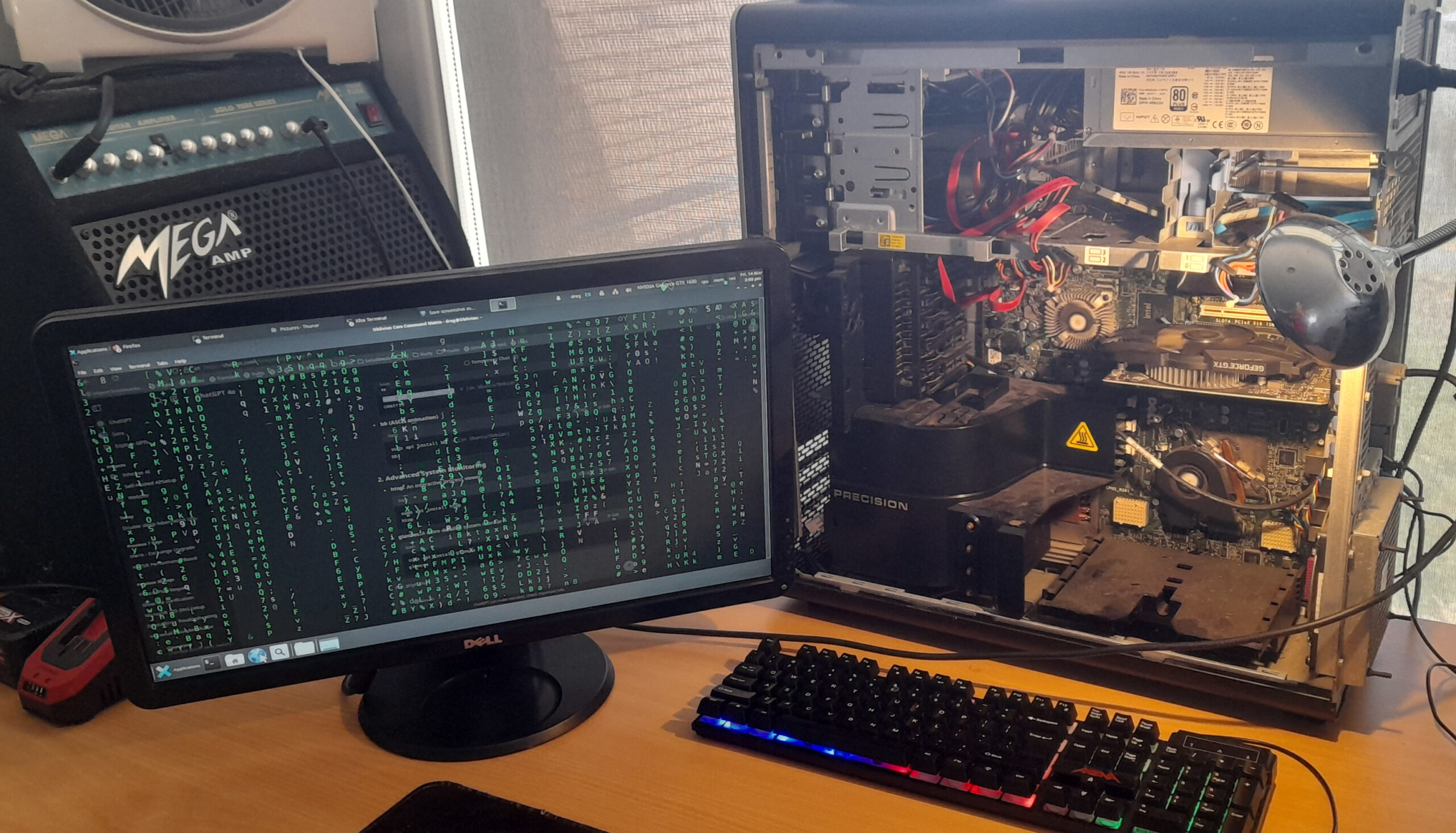
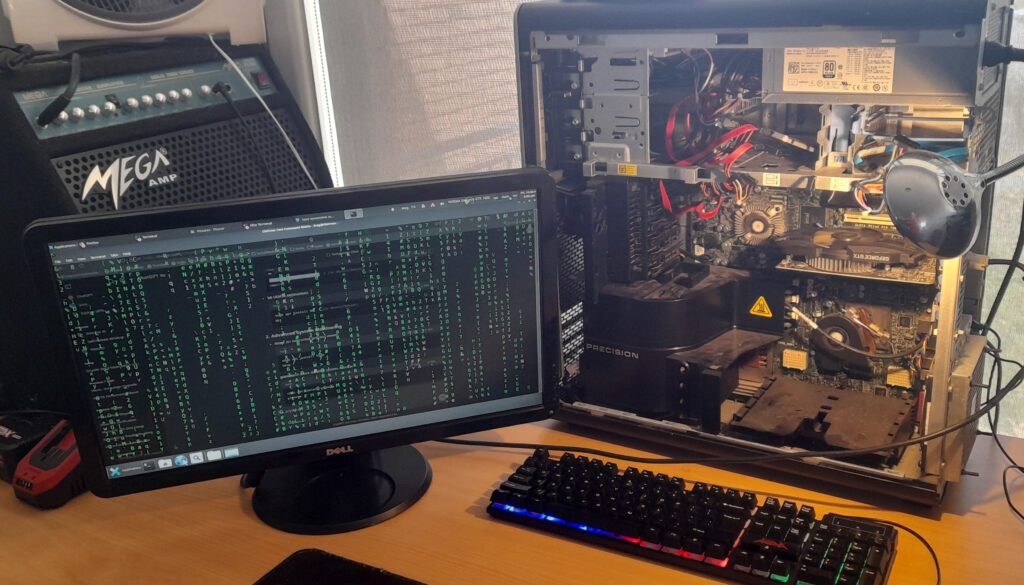
This is AI on our terms. Local Machine Model (LLM), completely isolated, and running on hardware that was never meant to be used like this. The Dell T7500 Xeon had been collecting dust, an old workstation from a different era. Dual processors, loads of instruction sets, and a 2.6GHz clock speed still holding strong. It was more than enough for what I had planned.
The first obstacle was the SAS controller. We initially tried installing Arch Linux, but the installer outright refused to boot. Switched to Ubuntu, same issue. Different SSDs, multiple USB installers, nothing worked. Digging through failed installation logs finally led to the problem: the SAS controller was interfering with disk initialization. Even after disabling it in BIOS, the system still insisted on trying to interact with nonexistent drives. SAS may have been great for enterprise HDD arrays, but with SSDs, it’s just baggage. No TRIM support, unnecessary complexity, and now actively blocking progress. The only solution was to rip it out and rewire everything to SATA. The moment the OS booted and the old Windows install confirmed the SSDs were fine.
But the display… The massive TV screen we initially used made everything unreadable, with scaling so bad we couldn’t even access the BIOS properly. After installation, we managed to fix it through Nvidia’s control panel, but that was just a temporary patch. The real fix was swapping the TV out entirely for an old 21” DVI monitor. Instantly, everything looked as it should.
Wi-Fi and Bluetooth? Gone. There’s no reason for this machine to have any wireless connectivity. wpa_supplicant, bluez, and every related package were wiped from existence. This system would exist in pure isolation, with only direct LAN access under strict firewall rules. No SSH, no open ports.
With the foundation secured, it was time to bring the AI online. We deployed Ollama, the perfect runtime for local AI models, and pulled in Mistral 7B. At only 5GB, it’s remarkable how much this model can process, entirely offline. CUDA acceleration was enabled, confirmed through nvidia-smi, ensuring that the GTX 1650 was doing its job. The model ran smoothly, the system remained stable, and BOSS AI was born – A fully operational local AI.
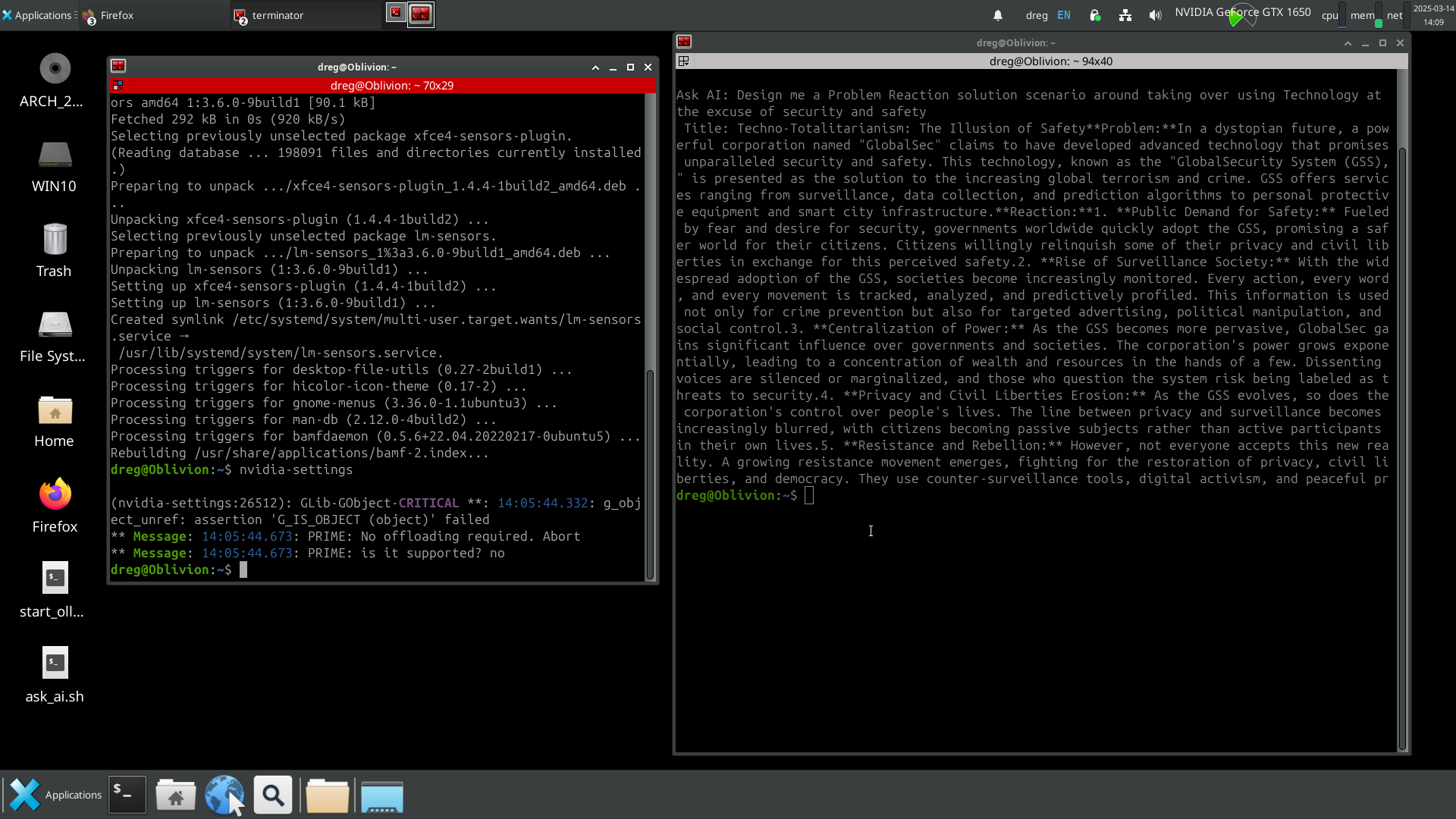
Does it replace ChatGPT? Not yet. (working on it in late 2025), and it’s completely private, but ChatGPT still has the advantage in speed and refinement. That said, the fact that a 5GB model can generate this level of response without ever touching the internet is a game changer.
BOSS AI – We built a fully operational AI system, completely local.
In this episode, I tackle a series of updates and fixes to my game project, but let me just say upfront… this wasn’t all I worked on over the last 2 days. Here’s the deal:
I also researched and tried:
Integrating GPT into IDEs like Visual Studio and Unity for coding and game development. (still working on this) Unified workflow ideas using tools like LangChain or Auto-GPT. Attempted to setup Studio – Using two webcams, a phone camera, and existing tools (OBS and Shotcut) to create a recording setup in a lounge room. Camera placement strategies for effective multi-angle shots.
Worked on creating a Linux Windows Subsystem to run Ubuntu on Windows 11 for my open-source AI assistant, then started exploring hosting it on a VPS and also on HYPERV or VMWare and VirtualBox?? So much effort…
Spent over an hour on the phone with my domain provider, trying to access my cPanel to do some SEO… still no resolution. Goal to duplicate current wordpress and improve the SEO, looking into hosting options and Crypto providers in Switzerland. So yeah, lots of spinning plates today, but let’s get into the main devlog.
🎮 Game Development Breakdown:
0:49 – GameManager Overhaul: Revamping the GameManager, consolidating the SceneManager, and streamlining the workflow.
1:05 – Singleton Management: Exploring Events and Delegates for cleaner singleton handling.
1:37 – Scriptable Objects Revisited: Rethinking their role in the project’s architecture.
2:30 – Unity Editor Tweaks: Coding specifically for the editor to enhance productivity.
2:53 – DestroyOnLoad Debate: Evaluating whether to use DontDestroyOnLoad for certain objects.
4:08 – TimeManager Redesign: Separating the TimeManager and integrating a custom timer into the GameManager.
4:25 – Hardware Troubles: Encountering potential issues with my NAS WD Red drive.
4:35 – GameManager Refinements: Streamlining and optimizing its functionality.
5:00 – Simplification: Introducing Enums and reconsidering the SceneManager’s purpose.
5:39 – UI Fixes: Assigning dedicated Canvases to managers and addressing UI bugs.
7:19 – Code Cleanup: Ongoing efforts to clean up messy scripts and improve maintainability.
7:42 – GameManager Accessibility: Ensuring it works seamlessly across all scenes.
8:00 – Spider System Optimization: Addressing and cleaning up spaghetti code.
8:32 – PauseMenu Implementation: Adding a PauseMenu with an attached canvas for smoother gameplay.
9:09 – UI Redesign: Updating the UI with a brown and cream color palette for a cohesive look.
11:07 – Bug Fixing: Recovering from a mistake in Fly.cs and implementing a better solution.
12:12 – Final Adjustments: Wrapping up miscellaneous tasks and improvements.
19:10 – Fly System Updates: Successfully spawning flies via FlyCreator and refining WebsterLevels.cs.
🎵 MUSIC CREDITS:Support these creators:
https://pixabay.com/music/beats-chill-house-mellow-moments-251693/
https://pixabay.com/music/beats-inspiring-music-motivational-piano-background-intro-theme-261894/
DISCLAIMER – We have no political affiliations at all – One BIG CLOWN SHOW
I actually started working on this game before Trump even became president the first time. Back then, I thought maybe he’d be the outsider who would “drain the swamp.” Turns out… he was just another creature in it. That realisation killed my motivation to finish or release the game.
But the ongoing fascination with his cult-like following, the Q psyop, and all the bizarre conspiracies out there still make it a goldmine for storytelling. I’m putting out this footage now to see if anyone’s interested.
For those who are watching, I really appreciate you, and I want your feedback or suggestions on things you’d like to see.
0:12 – Creating Personality – Eyes Follow Cursor
0:35 – Making the Eyes and Pupils in Gimp
1:37 – EyeMovement.cs Script
2:43 – Quick Test
3:17 – Making the Eyebrows in Gimp
3:51 – SPIDERMOOD.CS – MANAGE THE BROWS
6:36 – Experimenting with multiple eyes
8:27 – Testing
9:07 – Back onto 2 eyes
9:20 – Making the Eyes Blend Better with Model
9:47 – Making the Eyebrows
11:02 – Cleaning up Scripts
11:23 – SpiderMood.cs Plugging into the FlyStatus Code
12:14 – Spider.cs SpiderStatus
12:33 – SpiderMood.cs SpiderStatus
13:04 – Implementing SWITCH/CASE of the Spider.cs STATUS ENUM Into the other scripts that will reference it to do their own tasks Without needing Spider.cs to do everything.
13:34 – Setting up the WATCHFLYS()
14:43 – Setting up the Switch/Case In SpiderMovement
15:36 – Fixing Switch/Case in EyeMovement
16:02 – Cant Reference Like This, Need Local Varable16:35 – I figured it out Eventually
17:19 – Fixed EyeMovement Switch/Case
17:49 – Setting up to watch Multiple Enemies
18:33 – BUILD PREVIEW
19:21 – Some Variables Made
19:54 – Replace Dialogue Spiders with new ones
20:21 – Obviously Lots of Script Breaks Going to Fix
21:08 – Make Spider State Dictate the Mode Of Spider
21:33 – Pointless cause I fix all the scripts without having to disable them for dialogue scene
22:27 – Fixing SpiderLives.cs
22:53 – Get Leg Anims Out of Spider.cs – SpiderLegs.cs
25:03 – GameManager to Change Spider Status
25:28 – Improving the SceneManagerScript.cs
25:47 – Seem To Be Doing All Sorts of Assorted Stuff
26:31 – Apply Spider GIZMOS
26:48 – Testing
27:14 – THE NEXT DAY … DAY 2
27:37 – Making a Fly Factory
31:03 – STARTING TO PASSOUT
31:15 – STARTING TO PASSOUT – LEFT IN BROKEN STATE 🙁
I’ve been putting in half a day to edit each video, sharing hard-earned knowledge, tips, and tricks across 45+ videos. With only 1 like on most of them, it’s tough to justify this level of time and energy without more engagement—it’s clearly not as valuable as I thought and is distracting me from making the game.So, moving forward, I’ll scale back to 1-2 videos per week to keep things manageable. Every like, comment, or suggestion could lead to another 2-3 videos or even spark programming binges—it’s often the only thing motivating me to keep creating. Your support really DOES make a difference in shaping what comes next. Thanks to those who are watching!
MUSIC – See my Friend – https://pixabay.com/users/turtlebeats-46526702/
When Developer Hands Hit the Piano Keys
🎶 When Developer Hands Hit the Piano Keys 🎶
I’ll be sharing covers of some favorite pieces like Interstellar, Terminator 2, and River Flows in You. The piano is part of my creative process as a developer, helping me think outside the box and bring fresh ideas into my projects.