Archives for linux

Far Cry 2 NPCs Hate My Cybersecurity Tutorials – Crypto Setup & Kali VM Prep for 1984 VPS Hosting

Far Cry 2 NPCs Hate My Cybersecurity Tutorials – Crypto Setup & Kali VM Prep for 1984 VPS Hosting

This video kicks off my cybersecurity tutorial series. Everything here is legal, safe, and strictly educational, no real hacking is performed. I’m setting up tools in a controlled lab environment as part of my Master’s in Cybersecurity coursework.

To make it more entertaining, I’ve wrapped the tutorial inside the world of Far Cry 2, with NPCs chasing me down. It’s mostly for fun, but the lessons are real foundations for anyone interested in white-hat cybersecurity.

What’s in this episode:

⚠️ Disclaimer

  • This video is for educational purposes only.
  • No malicious activity is shown.
  • All tools demonstrated are legal and open-source.
  • The focus is on safe lab setup and whitehat practices, with gameplay used for entertainment.
  • Produced as part of my Cybersecurity Master’s degree coursework.
  • Always practice cybersecurity responsibly, legally, and within a controlled environment.
BOSSAI | Offline Skynet | Prepairing for Judgement Day

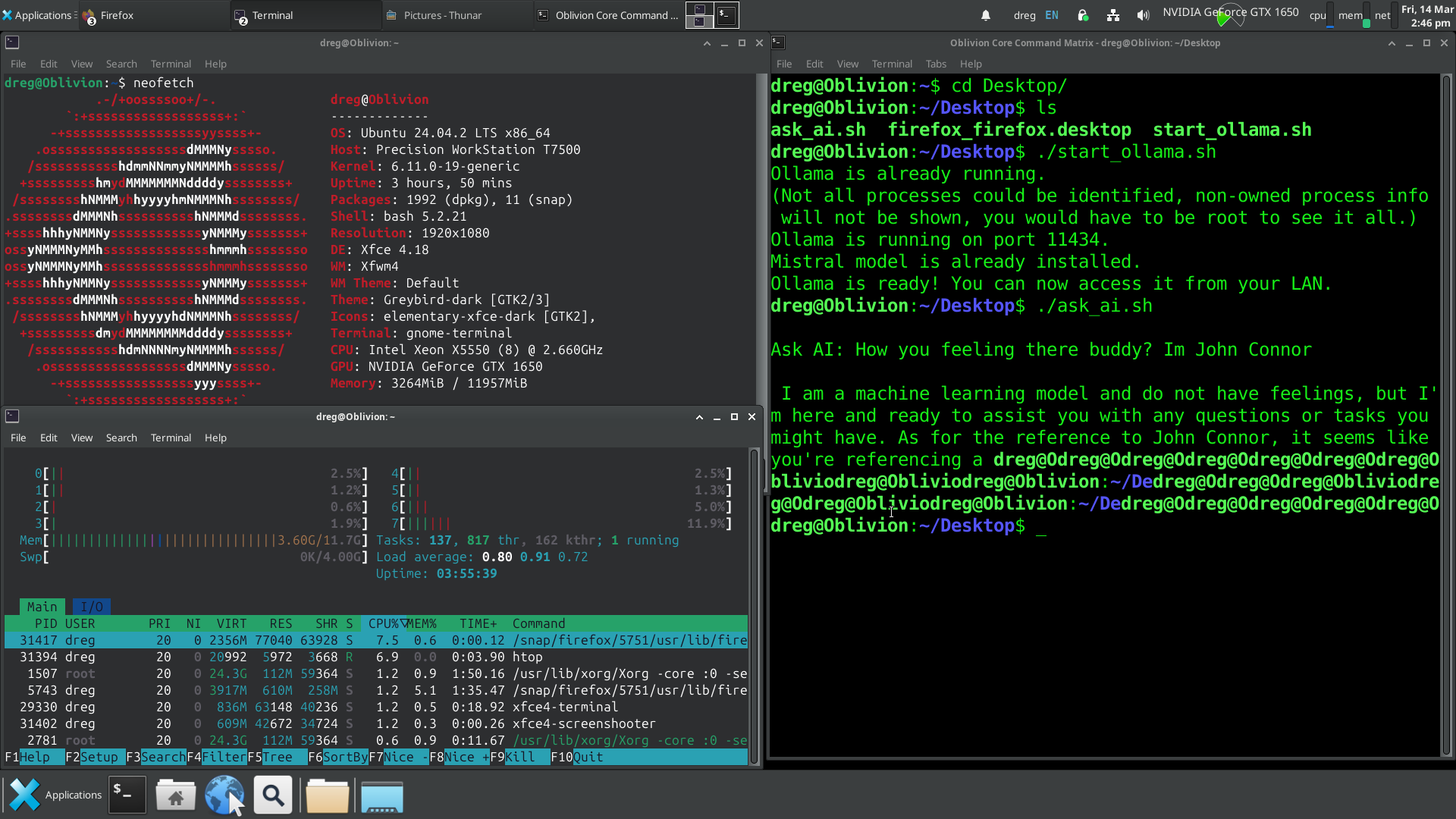
Fixed BOSS AI GUI so it actually works without breaking. The menu used to vanish when launching Ollama, debug mode didn’t log properly, and AI responses had no indication of processing. Now Ollama runs in the background, AI shows a “Please wait…” message while thinking, and debug mode actually logs stuff.

No Cloud, No Masters | Our AI | Our Rules

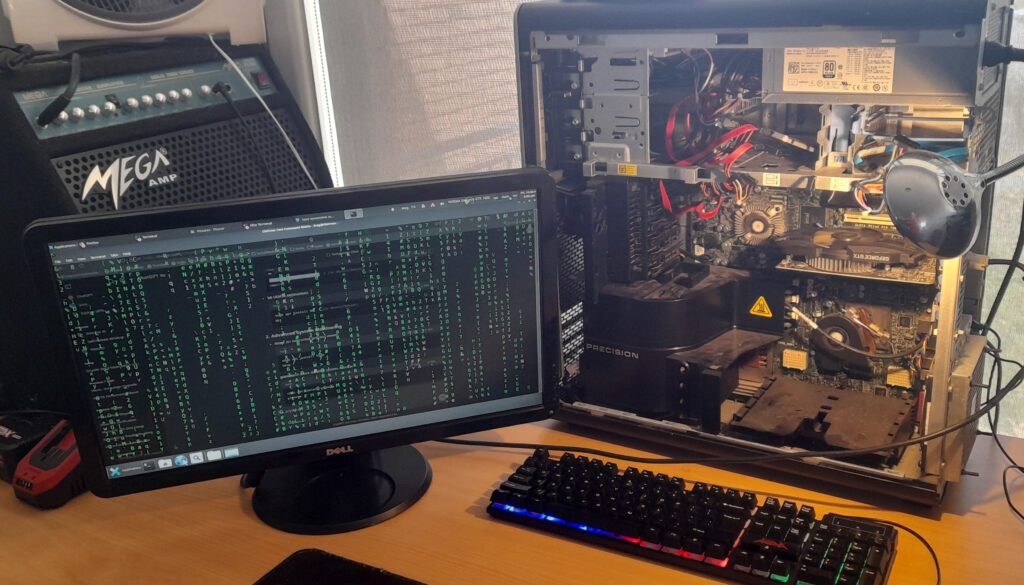
This is AI on our terms. Local Machine Model (LLM), completely isolated, and running on hardware that was never meant to be used like this. The Dell T7500 Xeon had been collecting dust, an old workstation from a different era. Dual processors, loads of instruction sets, and a 2.6GHz clock speed still holding strong. It was more than enough for what I had planned.

The first obstacle was the SAS controller. We initially tried installing Arch Linux, but the installer outright refused to boot. Switched to Ubuntu, same issue. Different SSDs, multiple USB installers, nothing worked. Digging through failed installation logs finally led to the problem: the SAS controller was interfering with disk initialization. Even after disabling it in BIOS, the system still insisted on trying to interact with nonexistent drives. SAS may have been great for enterprise HDD arrays, but with SSDs, it’s just baggage. No TRIM support, unnecessary complexity, and now actively blocking progress. The only solution was to rip it out and rewire everything to SATA. The moment the OS booted and the old Windows install confirmed the SSDs were fine.

But the display… The massive TV screen we initially used made everything unreadable, with scaling so bad we couldn’t even access the BIOS properly. After installation, we managed to fix it through Nvidia’s control panel, but that was just a temporary patch. The real fix was swapping the TV out entirely for an old 21” DVI monitor. Instantly, everything looked as it should.

Wi-Fi and Bluetooth? Gone. There’s no reason for this machine to have any wireless connectivity. wpa_supplicant, bluez, and every related package were wiped from existence. This system would exist in pure isolation, with only direct LAN access under strict firewall rules. No SSH, no open ports.

With the foundation secured, it was time to bring the AI online. We deployed Ollama, the perfect runtime for local AI models, and pulled in Mistral 7B. At only 5GB, it’s remarkable how much this model can process, entirely offline. CUDA acceleration was enabled, confirmed through nvidia-smi, ensuring that the GTX 1650 was doing its job. The model ran smoothly, the system remained stable, and BOSS AI was born – A fully operational local AI.

Does it replace ChatGPT? Not yet. (working on it in late 2025), and it’s completely private, but ChatGPT still has the advantage in speed and refinement. That said, the fact that a 5GB model can generate this level of response without ever touching the internet is a game changer.

BOSS AI – We built a fully operational AI system, completely local.

How To Setup & Play Brutal Doom on Linux

Linux Mint / Arch Linux

We have 2 Tutorials for the people out there who remember the times when you had to configure your OS to play games. Well, here we go again, except its because we want to 🙂 Brutal Doom Mod is amazing, so we decided as part of our christmas party plans and a gift to the world to Multiplayer this game. We have released 2 videos on how to setup on Windows or Linux (mint). We may release one on port forwarding later (to enable internet multiplayer)

Please Note: We had some sound issues on our new Linux Mint System we did not resolve before making the video, so may hear cracks, and sounds.
We’re also working on improving our resolutions of videos to at least 1080 but we always like to conserve space where we host.

We also made it work on ARCH LINUX 2024 Below

Screenshot 20240112 100828

NOTES for ARCH

use YAY for installing zandronum –> https://linux-packages.com/aur/package/zandronum
BUILD Doomseeker –> https://doomseeker.drdteam.org/git.php
Most other things are simular to the MINT install Video

If your using Arch we assume you know what your doing 😉

Windows VS macOS VS Linux – A BOSS IT SOLUTIONS In-Depth Analysis

Selecting the right operating system (OS) for your business is a pivotal decision that can significantly impact productivity, efficiency, and security. The most important consideration is that if you decide on a particular setup, you make sure to streamline as much as possible. Mixing Mac, PC, and Linux can be challenging. At BOSS IT SOLUTIONS, we aim to provide a comprehensive analysis of three prominent OS options for businesses: Microsoft Windows, Apple’s macOS, and the open-source Linux.

Microsoft Windows: The Versatile Workhorse

Microsoft Windows has long been a cornerstone of the business world, offering a wide array of features and capabilities:

  1. Application Compatibility: Windows is renowned for its compatibility with a vast range of business software, including the ubiquitous Microsoft Office suite. This broad compatibility streamlines workflows for businesses of all sizes.
  2. Customizability: Windows offers a high degree of customization, enabling businesses to tailor the OS to their specific needs. This adaptability is crucial for configuring systems to precise operational requirements.
  3. Legacy Systems Support: Many businesses rely on legacy software designed specifically for Windows. Choosing Windows ensures the seamless functioning of these mission-critical applications.
  4. Enterprise-Grade IT Management: Windows provides a comprehensive suite of IT management tools, simplifying the management of large numbers of computers and users. This robust management capability ensures stability and security.
  5. Gaming and Multimedia Production: Windows is a preferred choice for businesses involved in gaming or multimedia production, offering unparalleled support for a wide range of hardware and software dedicated to these industries.
  6. Active Directory Integration: For businesses using Microsoft’s Active Directory for user management and security, Windows is the natural fit, integrating seamlessly with this enterprise-grade solution.
  7. Reliability and Long-Term Support: Microsoft has a strong history of delivering reliable and long-term support for its operating systems, ensuring a stable and consistent environment for business operations.

Apple’s macOS: The Elegance of Integration

Apple’s macOS is popular among businesses, particularly in creative environments, thanks to its unique advantages:

  1. User-Friendly Interface: Apple’s OS boasts an intuitive and user-friendly design, reducing the learning curve and enhancing overall efficiency for users.
  2. Hardware-Software Integration: Apple’s control over both the hardware and software components ensures seamless compatibility and performance. This synergy is especially valuable for creative professionals relying on Apple’s ecosystem for tasks like video editing, graphic design, and music production.
  3. Security: macOS is known for its robust security features, including Gatekeeper and FileVault, which protect sensitive business data. Frequent updates and the stringent app review process on the Mac App Store contribute to a secure computing environment.
  4. Customer Support: Apple offers top-notch customer support, including AppleCare, providing businesses with peace of mind and ensuring rapid resolution of any technical issues.
  5. Collaboration: macOS ensures compatibility with Microsoft Office and various productivity apps, making it suitable for most business workflows.

Linux: The Open-Source Powerhouse

Linux, an open-source OS, is the choice for businesses with unique needs and requirements:

  1. Cost-Efficiency: Linux is often free to use, significantly reducing operating costs for businesses. The open-source nature of the OS can lead to substantial cost savings.
  2. Customization: Linux’s open-source architecture allows for deep customization, ideal for businesses with distinct IT requirements.
  3. Stability: Linux is known for its stability and security, making it particularly appealing for servers and data centers, where system reliability is critical.
  4. Scalability: Businesses with diverse infrastructure needs can benefit from the scalability of Linux, whether operating on servers, embedded systems, or IoT devices.
  5. Community Support: The active and helpful Linux community provides extensive documentation, forums, and support for businesses using the OS, reducing the barriers to implementation and maintenance.

Acknowledging the Complete Picture

While each OS has its own merits, it’s essential to acknowledge that the notion that macOS is exclusively the best choice for creative industries is not accurate. The choice of an operating system should be based on your business’s specific requirements, industry, and budget constraints.

It’s important to understand that both Windows and macOS offer features and tools that can be useful for a wide range of users, including those in creative fields. While Windows has been the OS of choice for many businesses due to its versatility and extensive compatibility, macOS, with its elegance and integrated hardware-software experience, can also be a viable option for creative and business environments.

BOSS IT SOLUTIONS is here to provide guidance and support as you make the optimal choice for your business’s IT environment. Whether you prefer the versatility of Windows, the elegance of macOS, or the power of Linux, our goal is to empower your business to operate efficiently, securely, and in alignment with your long-term IT goals. What’s your Favourite OS and why?

Built A Linux Windows Dual Boot PC – Special Order for customer

https://youtu.be/bixkUw7BnWQ