POSTS - Page 8 Of 10 - BOSS IT SOLUTIONS, SUPPORT & CONSULTING

Do you Forget your Passwords?

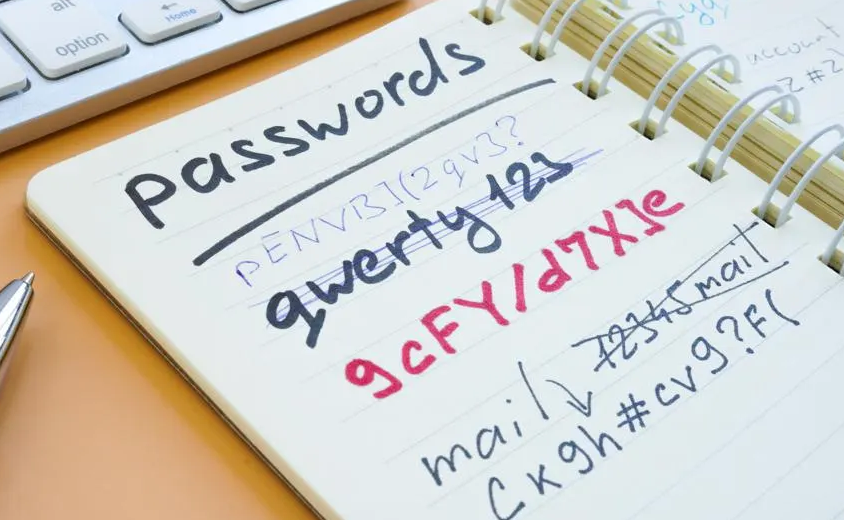
Passwords

We’ve all been there: you receive an email with a link to create a new password, only to be told it’s “too weak” or that you “can’t use an old password.” Sometimes followed by Captcha hell. It’s an infuriatingly common struggle.

You might be tempted to rely on your friendly neighbourhood IT guru, jot down passwords in a text document on your desktop, or even tuck them away in a physical notebook. However, these come with a substantial security risk. They can be easily pilfered or accessed by unauthorized individuals, unless you’re keeping them in a secure vault.

Passwords

So, whether you choose to entrust your memory, your IT Guy’s memory, password manager, or entertain the outlandish notion of getting microchipped (though we don’t exactly endorse that), the key is to remember passwords securely by using a dependable vendor like BitDefender Password Manager or a similar trusted solution, or even your Browsers inbuilt password manager, but be wary, using multiple password managers only spreads the risk.

What about NOW, I need Access NOW!

Boss IT Solutions, excels at resolving password-related headaches, effortlessly resetting multiple passwords when the need arises, and documenting it for the customer. With a remarkable 25 years of experience under their belt, they’ve seen it all, even customers from as far as Sydney seeking help in recalling their passwords from a bygone era as far back as like 2000.

Our Top Recommendation: BitDefender Password Manager

When it comes to finding a dependable solution, our choice is clear – Our Security Partner – BitDefender and their Password Manager, included as part of a security solution, works! It offers a comprehensive security suite as well as a user-friendly way to manage your passwords. Consider using a trustworthy, open-source browser like Firefox/Mullvad for added security, or contact us if you want comprehensive security solutions.
Has a Faulty SSD Put Your POS System at Risk? We Can Fix That + Common POS Issues

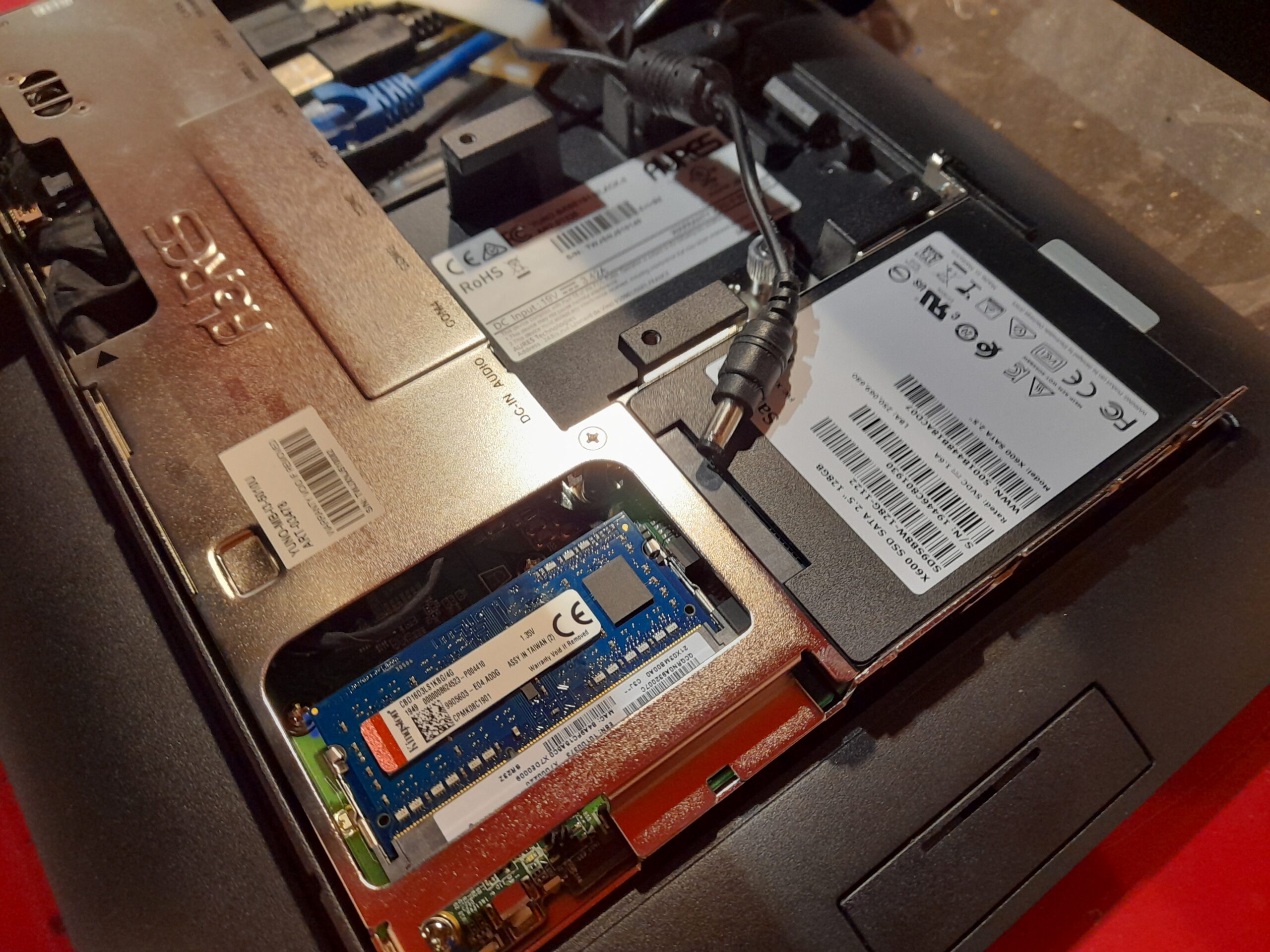
20230619 085448 scaled

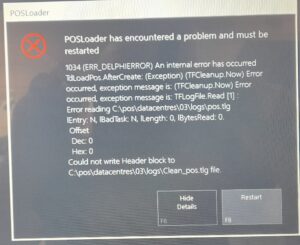
At BOSS IT SOLUTIONS, we are committed to delivering top-notch IT services to keep your business running smoothly. In a recent project, we encountered a pressing issue with a Point of Sale (POS) system—a malfunctioning SSD hard disk. Our skilled technicians swiftly addressed the problem by replacing the faulty SSD, Re-Imaging the Unit.

20230619 090525 20230619 085752 20230619 085630 20230619 085448 20230619 085318

Common Issues Faced by IT Technicians When Working on POS Units

Working with Point of Sale (POS) units presents a unique set of challenges for IT technicians. Here’s a quick rundown of the common issues they encounter:

Hardware Failures: Components like SSDs, printers, scanners, and touchscreens can fail, requiring quick diagnosis and replacement to minimize downtime.

Software Glitches: Complex POS software may encounter glitches that disrupt operations. Technicians need to troubleshoot and resolve these issues promptly.

Connectivity Problems: Reliable internet connectivity is essential for real-time transactions. Techs must tackle network issues and ensure seamless communication between devices.

Data Security Concerns: POS systems handle sensitive customer data. IT techs must implement robust security measures to protect against potential breaches.

Compatibility Challenges: Integrating POS systems with other software or upgrading them can lead to compatibility issues. Techs need to ensure smooth compatibility.

Power and Electrical Issues: Power outages or fluctuations can damage POS hardware. Installing surge protectors and backup power solutions is crucial to prevent damage.

User Training: Proper training is often necessary for staff members using the POS system to ensure efficient and error-free operation.

Regular Maintenance: Preventive maintenance is key to avoiding unexpected downtime. Techs should schedule regular check-ups, update software, and replace worn-out parts proactively.

Customization: Businesses often require customized features in their POS systems. IT techs must tailor software and hardware to meet specific business needs.

Vendor Support: Coordinating with POS system vendors for technical support and warranty services can be challenging. Techs may need to navigate these relationships to resolve issues efficiently.

In conclusion, Point of Sale systems are vital for modern businesses but come with their share of challenges. With any of these issues, BOSS IT is just a call away to provide prompt and expert assistance.

Your business’s IT needs are our priority, and we’re here to ensure your Point of Sale (POS) systems run smoothly. Contact us for reliable support and solutions! #BOSSITsolutions #POS #POSIssues

TESTIMONIAL – Bathurst Quarries

Testimonial BathurstQuarries

I have engaged Boss IT to provide updated business operating systems and to resolve ongoing IT issues.  I am happy to provide a recommendation for BOSS IT Solutions, as I have found them to be extremely well-informed and skilled in their services.  I have appreciated their patience in finding the best solution that suits our business and going out of their way to ensure the system runs efficiently and reliably. I have no hesitation in recommending this business to provide a variety of IT solutions.

Kind Regards,

Mary-Rose Townsend

Managing Director

BATHURST QUARRIES

BQLOGO

02 63310321

info@bathurstquarries.com.au

TESTIMONIAL – Tony M

Testimonial TonyM
Testimonial TonyM

Boss IT Solutions truly impressed me. The technician was not only super friendly but also incredibly skilled. They took my computer and performed magic – dual booting it with Linux and Windows. Now, my PC runs like a dream, no more overheating, and I’ve got the convenience of two operating systems. I challenge anyone to find an IT guy who would go to such lengths to make a customer happy. Thank you, Boss IT, for your outstanding service

Tony M

BOSS IT Tasked with Setup of 2 x DELL EMC SD WAN

20230607 164227 scaled

Upon arrival at the site, BOSS IT Solutions immediately assessed the situation by inspecting the received packages, verifying the accuracy of all components and serial numbers. Communication was established with the Head Office to obtain the green light for the project, while onsite staff were duly informed about potential disruptions expected throughout the day, with a dedicated focus on minimizing any inconvenience.

20230607 153315 1

The server rack presented a disorganized state upon inspection. We dedicated efforts to thoroughly clean and organize it to a point where cables were easily identifiable and correctly connected to their respective outlets. It’s worth noting that we adhered to time constraints for cable cleaning, ensuring efficiency without compromising the quality of our work, thus facilitating future maintenance by our team or any other technicians without excessive delay.
20230607 161256

One noteworthy challenge encountered at the site was the absence of mobile reception and Wi-Fi access for tradesmen within the building. This compelled us to utilize a mobile phone and create a hotspot outside the premises, allowing us to maintain communication with the Head Office IT team. This task proved to be quite demanding, but we thrive on such challenges and are committed to delivering effective solutions under adverse conditions.

20230607 161302

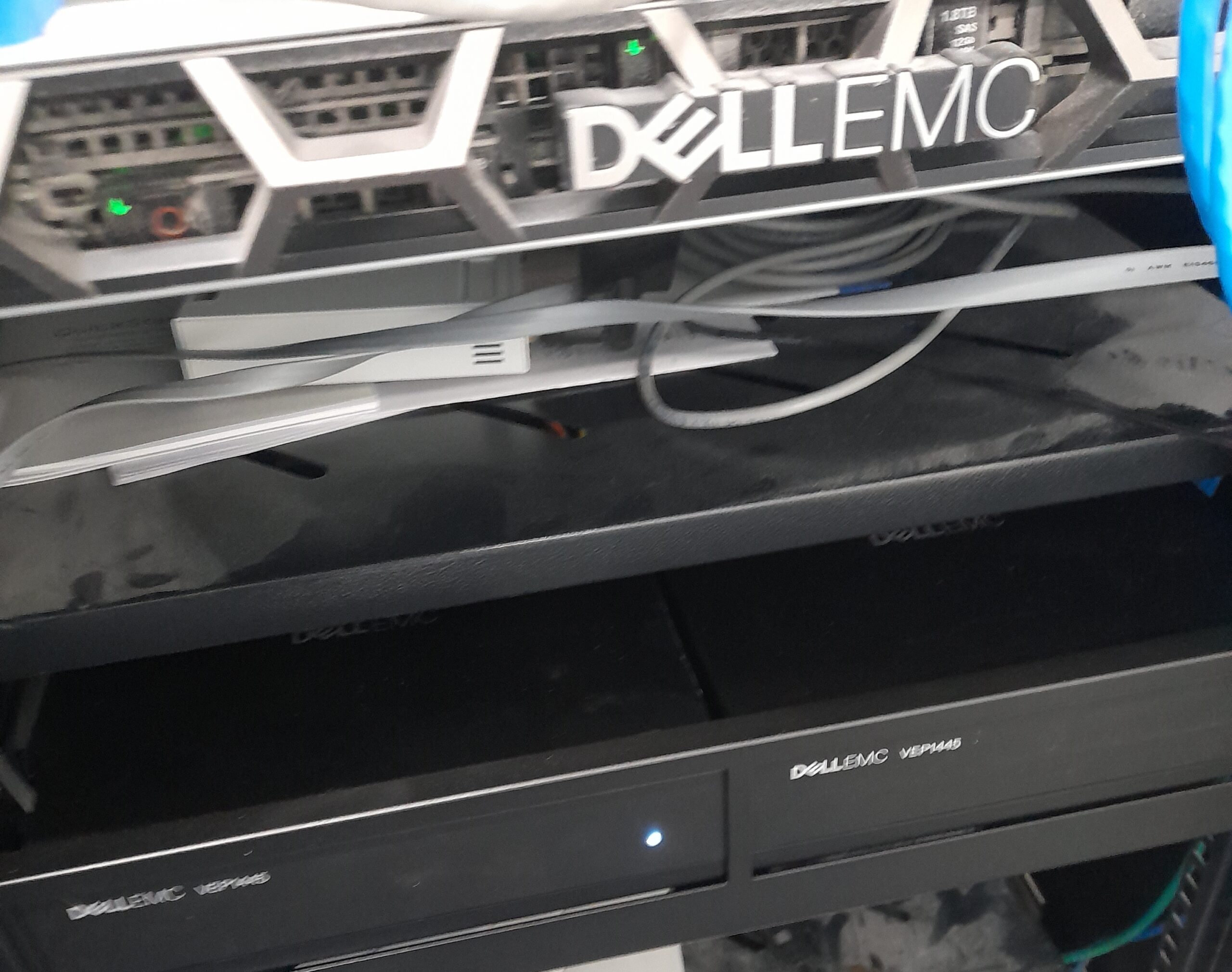
Here we program the Dell EMC’s primary and secondary.

20230607 164227

Following our diligent efforts, the Dell EMC systems were successfully installed and are now fully operational.

Can You Revive the Classic Windows 3.1 Mahjong Game on Modern PCs?

Mahjong

A customer asked me today about Mahjong on Windows 3.1, it holds a special place in her heart, yearning for the classic Windows 3.1 Mahjong experience. Well, there’s good news. You can enjoy it on your latest Windows 10 or 11 PC. In this article, we’ll explore three different methods: using the Microsoft App Store, visiting a dedicated website, and for the tech-savvy, the DOSBox method.

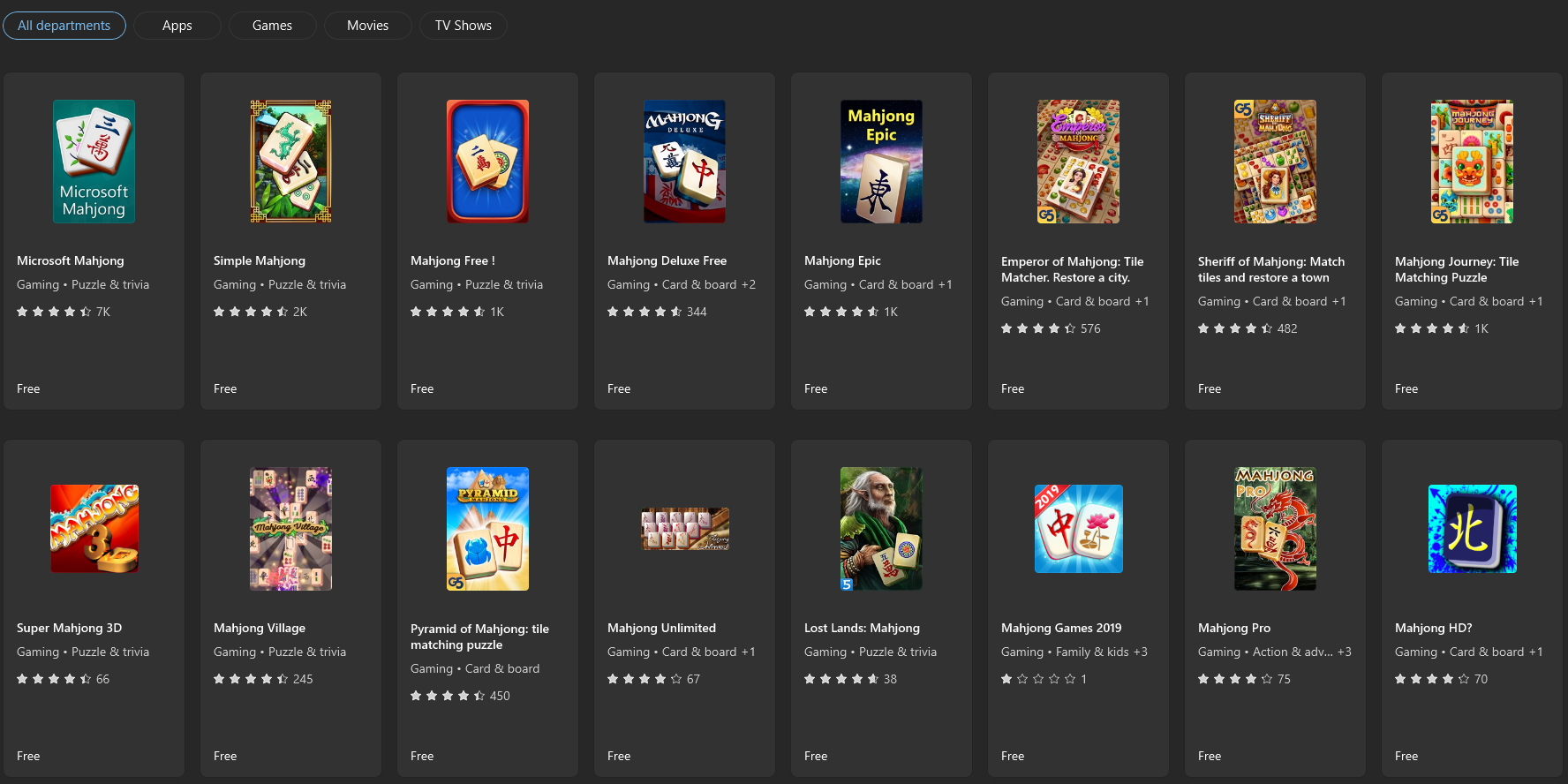
Method 1: Microsoft App Store for Windows 10 and 11: If you’re running Windows 10 or 11, you’re in luck. Microsoft has expanded its app offerings to include some classic Windows games. Here’s how you can play Windows 3.1 Mahjong directly from the Microsoft App Store:

  1. Access Microsoft Store:
    • Open the Microsoft Store on your Windows 10 or 11 PC, either through the taskbar icon or by searching for “Microsoft Store” in the Start menu.
  2. Search for “Mahjong”:
    • Inside the Microsoft Store, use the search bar to look for “Mahjong.”
  3. Install the Game:
    • Browse the search results to locate the classic Windows 3.1 Mahjong game, if available.
    • Click “Install” to download and install the game on your PC.

Method 2: ClassicReload.com for Web-Based Play: For those who prefer a hassle-free web-based experience, ClassicReload.com offers an excellent option. This online platform hosts a collection of retro games, including Mahjong. To play Windows 3.1 Mahjong on ClassicReload.com, follow these steps:

  1. Visit ClassicReload.com:
  2. Search for “Windows 3.1 Mahjong”:
    • Utilize the site’s search bar or explore the game library to locate the classic Windows 3.1 Mahjong game.
  3. Begin Playing:
    • Click on the game to launch it directly in your web browser, eliminating the need for downloads or installations.
  4. Relive Fond Memories:
    • Enjoy the nostalgia of Windows 3.1 Mahjong, just as you remember it.

Method 3: DOSBox for Tech Enthusiasts: (We really don’t recommend this unless you’ve really got nothing better to do)

  1. Download and Install DOSBox:
    • Head to the official DOSBox website Dosbox.com and download the suitable version for your operating system.
    • Follow the installation instructions.
  2. Install Windows 3.1:
    • Obtain a legitimate Windows 3.1 installation disk or image from a trusted source, this may prove difficult.
    • Launch DOSBox and mount the directory containing your Windows 3.1 files.
  3. Install and Enjoy:
    • Run the Windows 3.1 setup and install the operating system within DOSBox.
    • Once installed, launch Windows 3.1 within DOSBox and find the classic Mahjong game in the Games folder.

You can relive the joy of playing Windows 3.1 Mahjong on your modern Windows 10 or 11 PC.

Should you encounter any technical challenges or require IT support, Boss IT Solutions stands ready to assist.

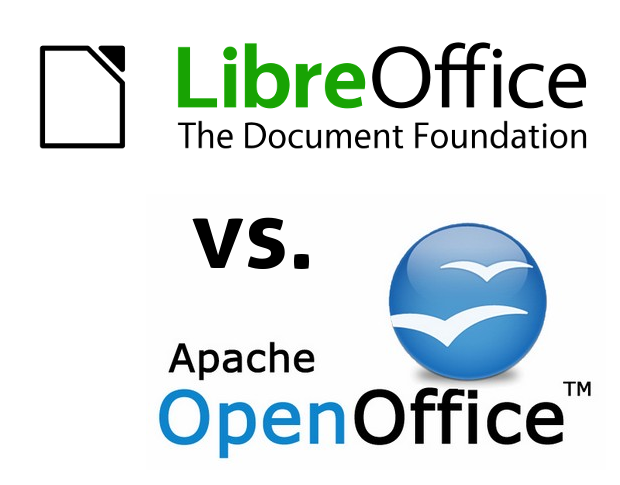
LibreOffice vs. OpenOffice – Extensions

OpenOfficeVSLibraOfficeTools

In this article, inspired by an online inquiry, we embark on a journey through the world of LibreOffice and OpenOffice extensions, presenting an extensive catalogue of notable extensions. What would influence a user’s decision?

LibreOffice Extensions:

1. LanguageTool: A comprehensive grammar and spell-check tool for multiple languages.

2. Template Changer: Facilitates quick template switching for document creation.

3. PDF Import: Enables the direct import and editing of PDF documents.

4. Writer2xhtml: Exports Writer documents to HTML and XHTML formats.

5. Calc Solver: Provides enhanced mathematical and statistical functions for Calc.

6. Zotero Integration: Streamlines referencing and bibliography management.

7. Google Drive for LibreOffice: Integrates Google Drive for seamless cloud storage access.

8. AutoText: Simplifies the insertion of frequently used text snippets.

9. Grammarly for LibreOffice: Enhances proofreading with Grammarly’s AI-powered suggestions.

10. SendLater for LibreOffice: Allows scheduling email sending in LibreOffice.

OpenOffice Extensions:

1. Sun PDF Import Extension: Imports and modifies PDF files directly.

2. LanguageTool for Apache OpenOffice: A grammar and spell-check tool for multiple languages.

3. Alternative Dialog Find & Replace for Writer: Enhances the find and replace functionality in Writer.

4. Template Chooser for Apache OpenOffice: Simplifies template selection for document creation.

5. Calc Solver for Apache OpenOffice: Provides enhanced mathematical and statistical functions for Calc.

6. PDF Import for Apache OpenOffice: Enables importing and editing PDF files in Apache OpenOffice.

7. Writer2LaTeX: Converts Writer documents to LaTeX format.

8. Vertical Text: Allows vertical text layout within Writer.

9. Report Builder: Enhances report creation capabilities.

10. ExtendedPDF: Expands PDF export options.

Exclusive LibreOffice Extensions/Add-ons:

Google Drive for LibreOffice: Integrates Google Drive for seamless cloud storage access.

AutoText: Simplifies the insertion of frequently used text snippets.

Grammarly for LibreOffice: Enhances proofreading with Grammarly’s AI-powered suggestions.

SendLater for LibreOffice: Allows scheduling email sending in LibreOffice.

MySQL Connector: Facilitates database connectivity within LibreOffice.

Presentation Minimizer: Reduces presentation file sizes for efficient sharing.

Save As DAISY: Converts documents to DAISY format for accessibility.

Exclusive OpenOffice Extensions/Add-ons:

Sun PDF Import Extension: Imports and modifies PDF files directly.

LanguageTool for Apache OpenOffice: A grammar and spell-check tool for multiple languages.

Alternative Find & Replace for Writer: Enhances the find and replace functionality in Writer.

Both offer valuable extensions, but LibreOffice shines with Google Drive integration and Grammarly support. On the other hand, OpenOffice excels with PDF editing and language tools.

LibreOffice vs. OpenOffice: Making the Right Choice

OpenOfficeVSLibraOffice

In this article, we’ll explore the key differences between LibreOffice and OpenOffice to help you choose the best office suite for your needs.

Compatibility and Versatility:

LibreOffice:

Versatile and compatible with various document formats.
Strong support for Microsoft Office files.
Modern interface and regular updates.

OpenOffice:

Compatibility with popular file formats but occasional issues with complex MS Office files.
Familiar classic interface with less frequent updates.

Resource Usage:

LibreOffice:

Efficient resource usage for modern and older computers.
Responsive performance on low-spec machines.

OpenOffice:

Higher resource consumption, better suited for more powerful computers.
Performance varies based on hardware.

Extensions and Add-Ons:

LibreOffice:

Extensive add-ons available.
Features language tools and productivity enhancements.

OpenOffice:

Modest add-on collection, suitable for a lean workspace.
Collaboration:

LibreOffice:

Strong collaboration due to MS Office compatibility.
Effective document sharing in mixed software environments.

OpenOffice:

Collaboration support, but may have compatibility issues with other office suites.

Conclusion:

LibreOffice excels in compatibility, resource efficiency, and extension availability. OpenOffice offers a classic interface but may be less versatile. Choose based on your specific needs and hardware.

Built A Linux Windows Dual Boot PC – Special Order for customer

https://youtu.be/bixkUw7BnWQ

Thunderbird or Outlook: Which Email Client Suits Your Business Best?

DALL·E 2023 09 07 06.26.01 Thunderbird and Outlook email programs fighting each other

When it comes to selecting an email client for your business, the choice between Thunderbird and Outlook can be crucial. These two options each offer distinct advantages. At BOSS IT Solutions, we’re here to help you make an informed decision. So, which email client is right for your business?

Cost vs. Compatibility:

Cost-effectiveness is a major factor. Thunderbird, being open-source, is free to use. Meanwhile, Outlook is part of Microsoft 365, which comes with a subscription fee. Thunderbird may be more attractive for budget-conscious businesses. Yet, if your business relies heavily on Microsoft products, Outlook’s seamless integration with Microsoft 365 might make it the preferred choice.

Custom Solutions Tailored to Your Needs:

We understand that every business has unique requirements. That’s why we offer custom solutions. Whether you need advanced features or a straightforward email setup, we’ve got you covered. We tailor the solution to your needs, just like a master tailor crafting a bespoke suit.

Workflow Alignment:

Our expertise lies in aligning your email client with your workflow. We analyze your business’s requirements and recommend the email client that best suits your style. It’s like having a personal stylist for your business email.

The Open Source Advantage:

Thunderbird’s open-source nature makes it highly customizable and suitable for businesses committed to open-source software. It’s like thrifting for software—sustainable and cost-effective.

Our Balanced Approach:

At BOSS IT Solutions, we present a balanced perspective. We provide an unbiased view of Thunderbird and Outlook, ensuring you make an informed choice that aligns with your business’s goals.

So, which email client suits your business best?